4.6 Agentic execution
← 4.5 Governance/security / ↑ 3c Enterprise / → 4.7 DD master list (3.6)
Agentic execution: interactive, event-triggered, or continuously hosted workflows, including model-directed tool use.
TOC
E18: E18_build_w_aip_chatbot_studio
- #???
- https://ziptieai.usw-17.palantirfoundry.com/workspace/compass/view/ri.compass.main.folder.5684e562-8ccd-4c8d-934a-3b50d8861dd7
- E18
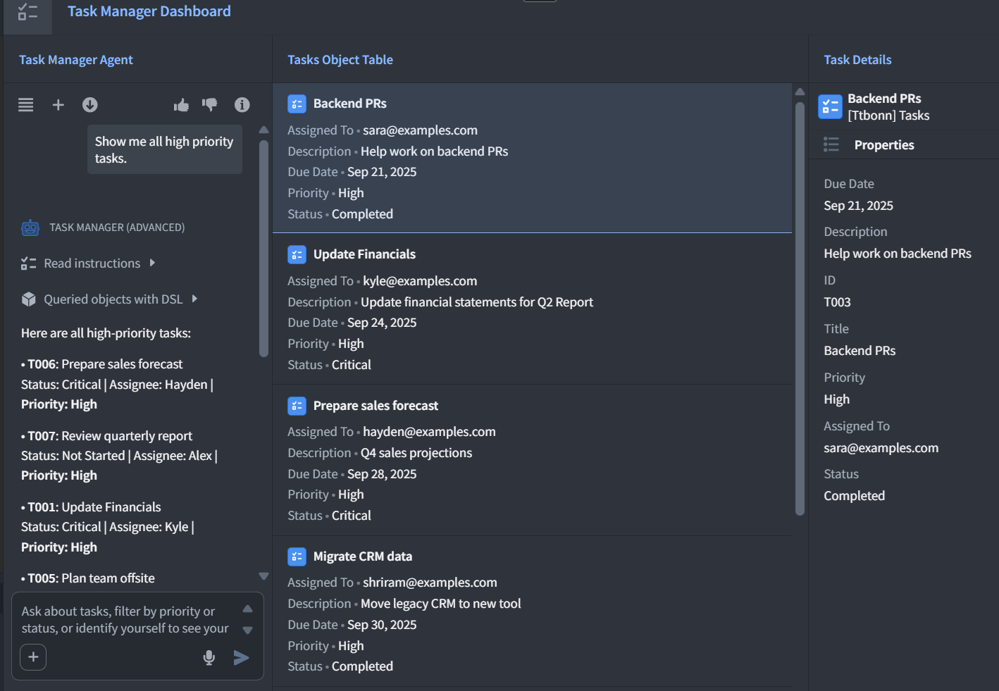
| Example | # | Specific problem for a ZAI_example | Potential inspiration |
| E18 | — | chat bot | — |
**Yes—that makes an excellent three-demo series**, using the **same small task and tools** so the execution differences are clear.

| Demo | What starts it | What it demonstrates |
|---|---|---|
| **1. Interactive agent** | A user message in Chatbot Studio | Model-directed tool use during a conversation |
| **2. Event-driven agent** | An Automate condition or schedule | Unattended AI processing when work arrives |
| **3. Persistent worker agent** | Deployment of custom code in a Compute Module | An ongoing process that waits for work, processes it, and repeats |

These are **three hosting/trigger patterns**, not an exhaustive list of ways to create agents.

For each, we’d verify **start → receive work → choose operations → produce a result → inspect execution → stop safely**. Before the third, we’d confirm Compute Modules are available and suitable in your environment.

**Same problem, three execution patterns** fits your mechanistic teaching approach very well.
ME: now what are agents in Foundry?
its obvious if i write an agent app, that the main loop is in this app. but where in foundry? only in automation, or can i also write in code?
902 FDE: An agent in Foundry is an AI workflow that can repeatedly choose and use tools to accomplish a task. It is not limited to Automate.
Where does its loop run?
| How you build it | Where the loop runs |
|---|---|
| AIP Agent Studio / Chatbot Studio | The platform’s agent runtime manages the model → tool → result → next-step loop |
| Code-based agent | Your Python or TypeScript implementation controls the loop, running in an appropriate Foundry execution environment |
| An AIPL with looping/tool-use logic | The configured Logic execution manages those steps |
For a code-based agent, you can explicitly implement:
Receive task
→ call model
→ inspect requested tool call
→ execute permitted tool
→ return result to model
→ repeat until finished or a limit is reached
Automate is generally the trigger, not the agent’s reasoning loop. It can start an agent-backed workflow when an object changes or a schedule fires. A UI, API request, or another workflow can also start it.
So your instinct is correct: you can write the agent in code. Foundry can supply its hosting, model access, Ontology tools, and security controls; the loop need not live in an automation.
FDE: Yes—that describes our demos, with one distinction at the end.
Initially:
Import/transform → output dataset → Ontology objects → UI reads objects or submits an Action.
There is no agent loop that we created. The UI’s event loop is ordinary application infrastructure.
Then:
- Scheduling repeats ingestion/builds at specified times.
- Automation reacts to specified changes or conditions.
Those create our first recurring or event-driven operational workflow—but not an AI agent. We explicitly configured what triggers execution and what happens next.
An agent adds a different mechanism: the model chooses the next tool or step based on intermediate results, potentially repeating until the task is finished.
Repetition makes a workflow ongoing; model-directed decisions make it agentic.
ME: an agent just reacts to external events, just like automation and scheduling.
automation and scheduling are full fledged agents.
Yes—under the broad software definition of an agent, schedules and automations qualify: they operate autonomously, responding to time or other events with configured behavior.
I was using “agent” in the narrower AI sense, where a model chooses actions or tools.
For your explanation, distinguish:
- Rule-based agents: schedules and automations execute predefined behavior.
- AI agents: a model helps select the next action.
An agent does not have to use AI. My earlier wording was too restrictive.
ME: have we done a demo with your narrow definition?
908 FDE: Not in the QS or QS3 exercises we built together. The LLM evaluated supplied data and returned results; we configured the sequence, tool calls, and Actions. It did not choose its own next step.
Your inventory does list #614: “Your First Agentic AIP Workflow” as completed, but I haven’t inspected that implementation here to verify its behavior.
ME: this is 614 toc
Install Foundational marketplace and test (ZAI CLEANED UP VERSION) 26.0903 4 1 Install 5 2 Test 15 3 Overview of installed components (use exiting ZAI.com content) 21 4 prompt for GPT conversion to md+png’s 22 v555 FOR PUBLISHING ON ZAI website ===================== 23 Concepts 24 C1 About the ZAI version of demo D3 and this online doc 24 C2 Workflow diagrams 25 Notes 30 P1 Create folder / (Install marketplace) 42 P1.1 Create folder 42 P1.2 Install marketplace (only if not already installed) 43 P2 (4a) Build AIP Logic: Use_LLM 63 P2.1 Configure 64 P2.2 Test Use_LLM (preview run) 67 P3 (4b) Complete AIP_Logic: Add Action 69 P3.1 Configure 70 P3.2 Test action 71 P4 (3) Publish AIP_Logic as a Function 72 P4.1 Bind AIP Logic to Ontology 73 P4.2 Save AIP_logic 74 P4.3 Publish logic function 75 P5 (2) Create Automation 77 P5.1 Create new automation 78 P5.2 Add clinicalTrial object 80 P5.3 Create automation 82 P5.4 Disable old automation 83 P5.5 Open the “View automation events” dialog 85 P5.6 Create patient (in UI) 86 P5.7 View the automation event 88 P5.8 Final UI result 89 P6 Optional: Create Evaluation Suite 90 P6.2 Expose LLM Output to Evaluation 91 P6.3 Create an Evaluation Suite (DOCS ARE OUTDATED) 92 P6.4 Configure an Evaluator 96 P6.5 Configure Test Cases 100 P6.6 Run the Evaluation Suite (INVALID CONFIGURATION) 103 P6.7 Inspect the Results 107 P6.8 Compare Results to Another LLM
FDE: This TOC does not establish an AI-directed agent loop. It appears to describe:
New patient → automation → AIPL/LLM → configured Action → saved result
That is similar to the automated AI workflow we built in the QS.
The deciding detail is inside P2’s Use LLM block:
- If the model only returns an answer and P3 always applies a configured Action afterward, the workflow sequence is predefined.
- If the model can choose tools, inspect their results, and decide what to do next, that meets the narrower AI-agent definition.
So #614 may be called “agentic,” but the title and TOC alone do not prove that narrower behavior. We would need to inspect its prompt and tool configuration.
ME: https://learn.palantir.com/speedrun-your-first-agentic-aip-workflow
is Demo 3 in the pal demos….. and i also wondered about the term “agentic”. i dont remember doing any demo in your narrow sense.
so tell what the very simplest, bare-bones narrow sense agent demo you would help me do
912 FDE: **The smallest useful demo would be: “Find a named Item, check its Group, and answer a question.”
Use our existing Demo2Item and Demo2Group objects. No new dataset, UI, automation, or write Action is needed.
The agent gets two read-only tools
| Tool | What it does |
|---|---|
| Find Item | Searches by Item Code and returns the matching object |
| Get Item’s Group | Follows that Item’s Group link and returns the Group |
Build it in AIP Agent Studio / Chatbot Studio, where the platform manages the execution loop. We would inspect the available tool configuration first.
Give it this task
Which Group does I2 belong to? Look it up—do not guess.
The agent should:
- Choose Find Item with
I2. - Receive the Item result.
- Choose Get Item’s Group using that returned object.
- Receive Group One.
- Answer: “I2 belongs to Group One.”
We configure the available tools and instructions—not a fixed sequence of two blocks. The model chooses the tool calls and their arguments.
Prove that the sequence is not fixed
Try three prompts:
| Prompt | Expected behavior |
|---|---|
| “Find I2.” | Search only; no Group lookup needed |
| “Which Group does I2 belong to?” | Search, then follow the Group link |
| “Which Group does I999 belong to?” | Search finds nothing; report that rather than inventing a Group |
The tool-call trace is the important result: it shows the model choosing different paths based on the request and intermediate results.
That is a bare-bones narrow-sense agent: task → model-selected tool → observed result → next decision → answer. It does not need scheduling, continuous operation, write access, or a complicated business scenario.
26.1124 (v1 26.1124)