3c Enterprise
TL;DR: To get started ASAP with Enterprise AI programming using Palantir Foundry skip to the following sections
- 1b Foundry free tier sign up
- 2.1 ZAI start-to-finish demo project. Shows how to start from 0, no real world demo, just the basic mechanics of using Foundry (the messy details of starting from 0). I highly recommend skipping to this start-to-finish demo and getting hands-on experience first before reading the other sections.
This Enterprise section focuses on Palantir Foundry:
- Foundry (see diagram below) is a modern enterprise platform for data integration, ontology, analytics, applications, AI assistance, and governance.
- Foundry represents the logical culmination of ZiptieAI: (2) neural networks → (2b) models → (3) agents → (3b) workflows (and finally) → (3c) enterprise platforms.
- Foundry takes a very practical no-nonsense approach to AI in the enterprise. Foundry was a market leader over 20 years ago (long before AI).
- Palantir offers a generous Foundry free trial.
- Foundry’s built-in AI assistant (FDE) makes hands-on self-study practical.
Note: I am using a free trial version of Foundry. A very generous free trial. But with one major limitation: I can only have up to 50 ontology objects (something like that; I forgot the details). So its inevitable that I sometimes must delete demos/examples. So I try to document them carefully.
TOC:
- CONCEPTS (maybe combine these)
- 00 Why Foundry? (v1 26.1016)
- 0 Core Foundry Enterprise Concepts (#697; v1 26.1011)
- 1 Core Foundry Enterprise AI Concepts
- 1b Foundry free tier sign up
- 2 Foundry demos (ZAI-modified PAL demos and ZAI/FDE original demos)
- 3 Project/doc sources (PAL and ZAI)xx
00 Why Foundry? (v1 26.1016)
(WIP… below is just some initial thoughts)
- People are discovering that no matter how great the model is, it will never have real intelligence (that’s something I have been writing for a year; its obvious to anyone with basic tech insight and basic familiarity with the core of what makes AI tick (and AI does tick, because its simply binary computation on clocked circuits)).
- So the future focus on LLMs will be more on price and power usage (for the majority of apps). LLMs will be commodities in the (very near) future. The big LLM providers are in trouble (this is why Anthropic has come up wiht its latest gimmicks: protecting an LLM’s “feelings” and demanding gov control of LLMs (because they are just too dangerous); all scams to get gov funding and suppress the competition).
- Since the model will never have real intelligence, the focus will be on creating agents (enterprise SW) that bridge the gap between the human world and the LLM world.
- Foundry is designed just for such a reality.
- Boring Warren Buffett. He let the AI boom pass him by. Looks like he might have been right (yet again).
- (Eisman interview)
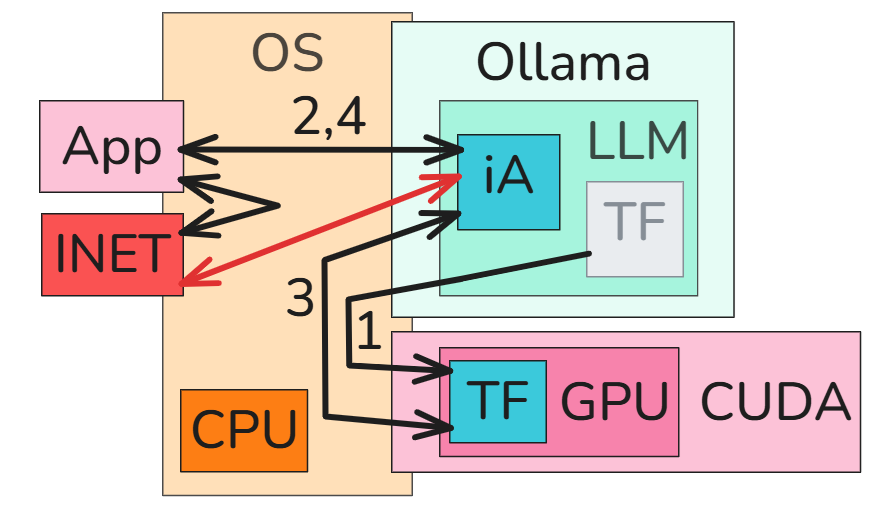
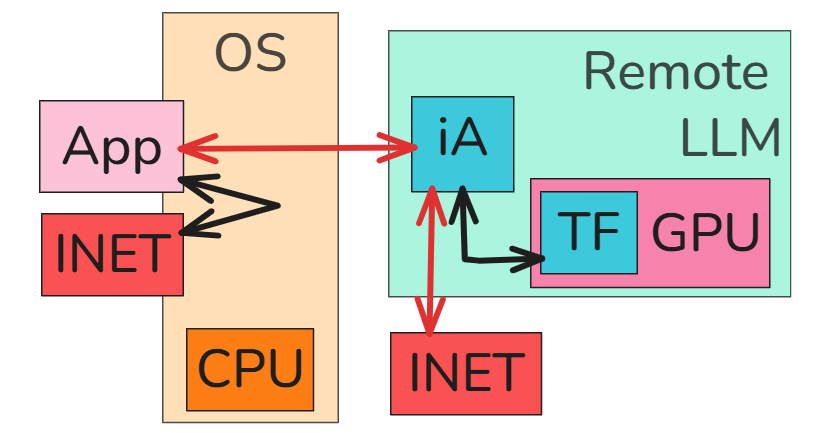
(left) Non-AI App, (center) AI app (“agent”) + local LLM, (right) remote LLM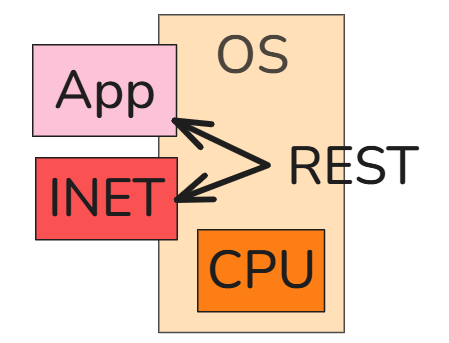
0 Core Foundry Enterprise Concepts (v1 26.1011)
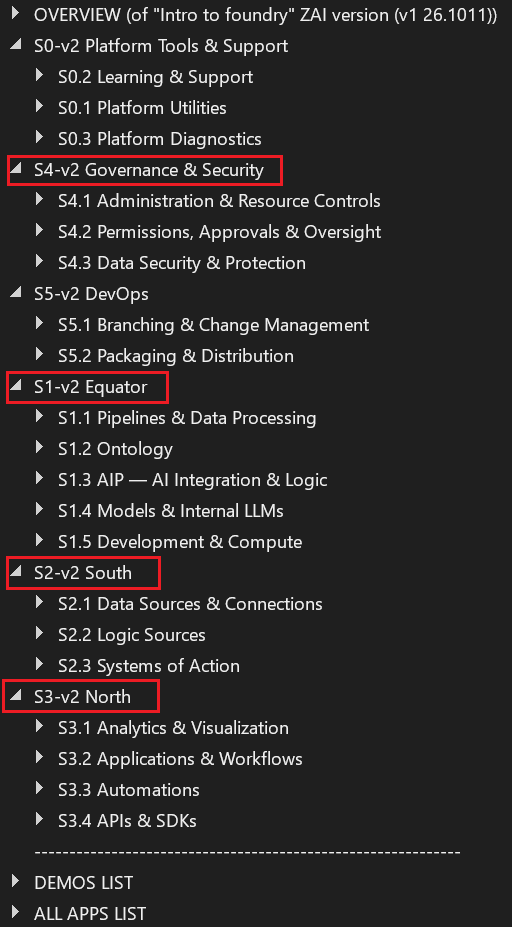
New ZAI version of Foundry core concepts
I needed a few months of hands-on experience before I was able to create a ZAI version of the Foundry intro (core concepts) (see docx #697ex (WIP)). The ZAI version (WIP) replaces the original “ontology” section with the “equator” section.
Note: The new ZAI Foundry intro will also cross reference all demos with Foundry apps (for details see docx #697ex and section “2 Foundry demos” / “2.0 Master demo list” below on this webpage).
New ZAI south/equator/north diagram (only new ZAI stuff shown)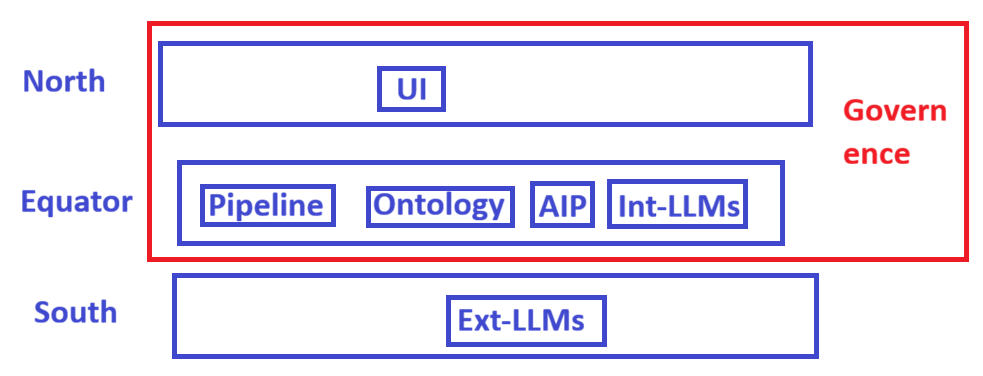
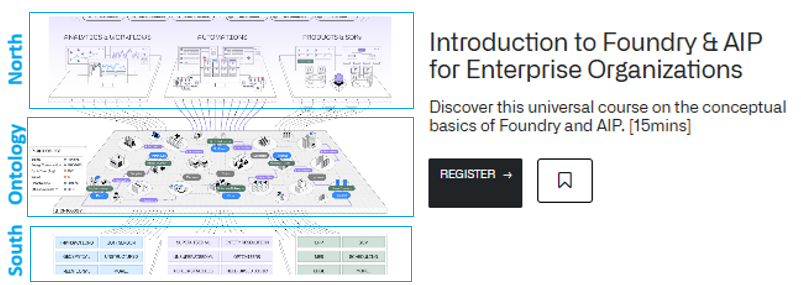
Original official version of Foundry core concepts
A quote from the webpage itself: “If you remember one thing from this course, let it be this: the Ontology is the centerpiece of the entire platform.” The course is quite interesting perhaps for a management reader, but too complicated and abstract for a reader wanting to learn Foundry hands-on ASAP. But such a doc (reorganized) could serve as the main guide for what demos to do.
Webpage on learn.palantir.com
1 Core Foundry Enterprise AI Concepts
The AI concepts webpage was inspired by Alex Karp’s talks about sovereignty and ALPHA in the enterprise. These issues are due to the nature of AI (unpredictable matrix math computations that recognize patterns / perform classification).
Alex Karp sounding the alarm about sovereignty and ALPHA in the enterprise.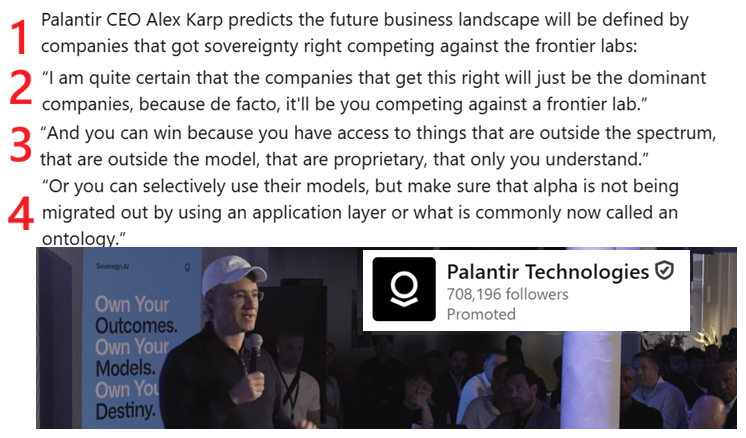
Palantir provides proven engineering (the crystal ball is just a metaphor, marketing genius); those selling AGI are selling a fantasy that can cause big problems in an enterprise.

1b Foundry free tier sign up
If you cant get a trial version of PAL running, then there’s no reason to read further. You will not understand PAL by just reading about it.
- I did not record how I signed up, and its not a process I can repeat. But I can tell you the following:
- You must be in a country that PAL supports (thats only a few countries).
- You can NOT use a VPN.
- You must have a passport or some picture ID of good enough quality for facial recognition verification. My passport is almost 10 years old, but it still worked.
- You need a camera on your PC to take a pic of yourself. PAL will compare your ID and the pic.
- I think you need a mobile phone number (and email).
- It was a fairly long process, but very professionally done (I was impressed).
2 Foundry demos
This section contains a deep dive into concepts and 3 Foundry tutorial projects
- 2.0 ZAI demo master list
- 2.0b Foundry ontology (object type) management
- 2.1 ZAI start-to-finish demo project (TODO)
- 2.2 ZAI versions of the core ~8 Foundry getting started demos
- 2.3 ZAI target app demos (TODO). These will be focusing on target apps, for example “Haystack Needle” demos. Higher level docs, assuming you know the basics.
- 2.4 PAL Examples (installable). FULL-FEATURED BUSINESS APP (WITH INSTALLER).
2.0 ZAI demo master list (v1 26.1013)
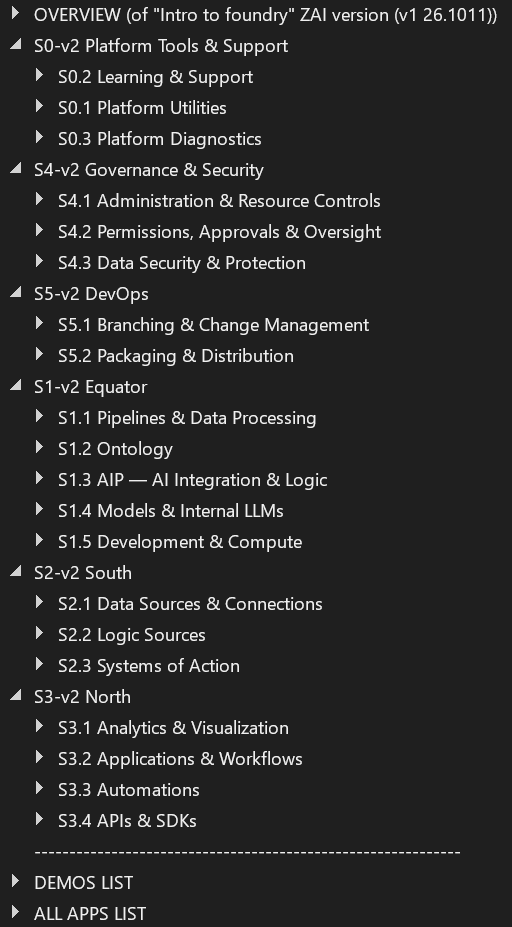
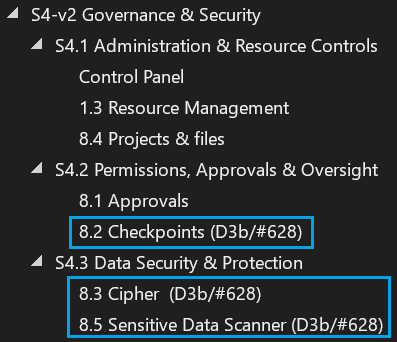
In the diagrams of the new ZAI version of the Foundry intro below:
- (left) The new ZAI version of Foundry intro (WIP) will cross reference all demos with Foundry apps.
- (right) H3 Foundry apps that demo D3b/#628 are marked (in the future all apps will be added).
- For details see docx (#697ex).
2.0b Foundry ontology (object type) management (v1 26.1018)
(WIP: discuss here about managing ontology while doing the demos, especially object types in order to stay under the 60 object types limit… there are no utilities to take care of this!).
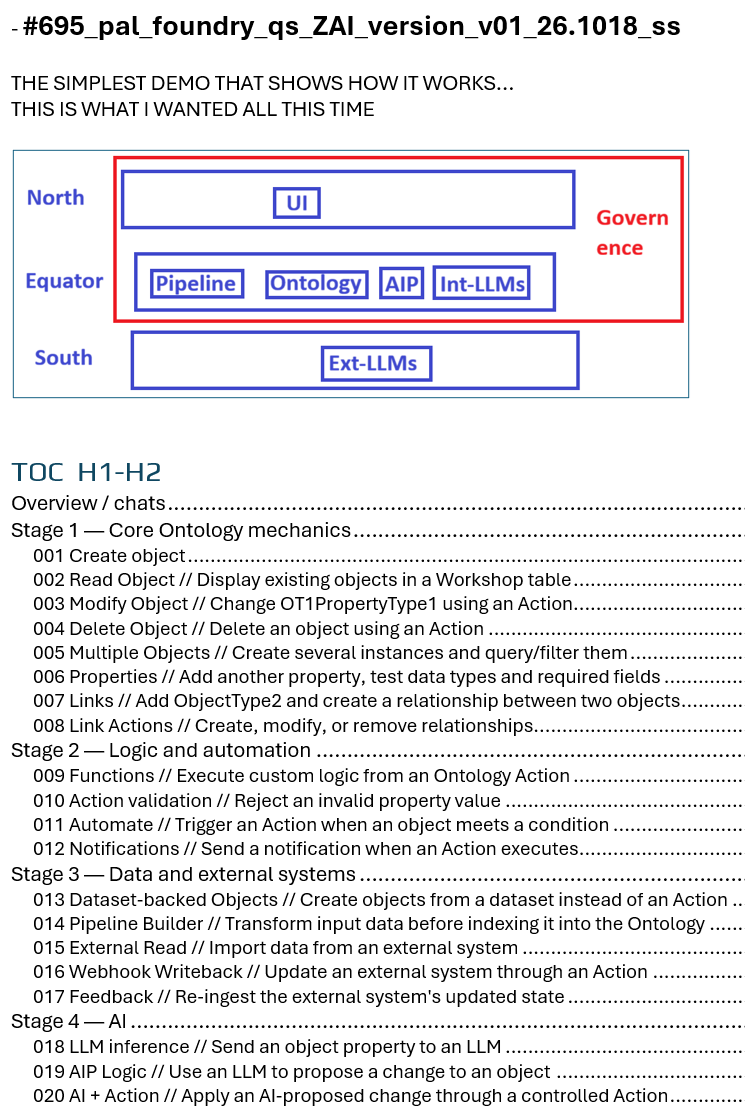
2.1 ZAI start-to-finish demo project (WIP)
This will be (WIP) a long demo with many phases that stays laser-focued on demo’ing the core mechanics of using Foundry (not on realistic demos of specific application markets; focuses on learning to navigate the UI and the terminology (The most challenging aspect of working with Foundry))
NOTE: A big part of learning Foundry is learning how to use FDE or GPT (AI) to help you learn Foundry.
Docx #695 is my working version of this demo (open that doc; I will not be (for now) adding anything on this webpage).
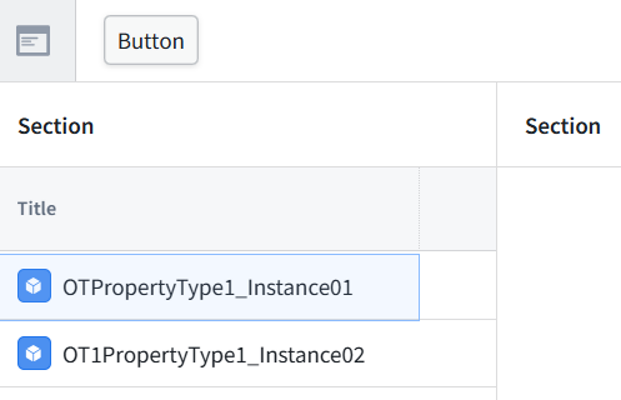
Learning how to create the most basic things in Foundry is quite challenge (at first). YOu need to be prepared to spend a bit of time at first on this.
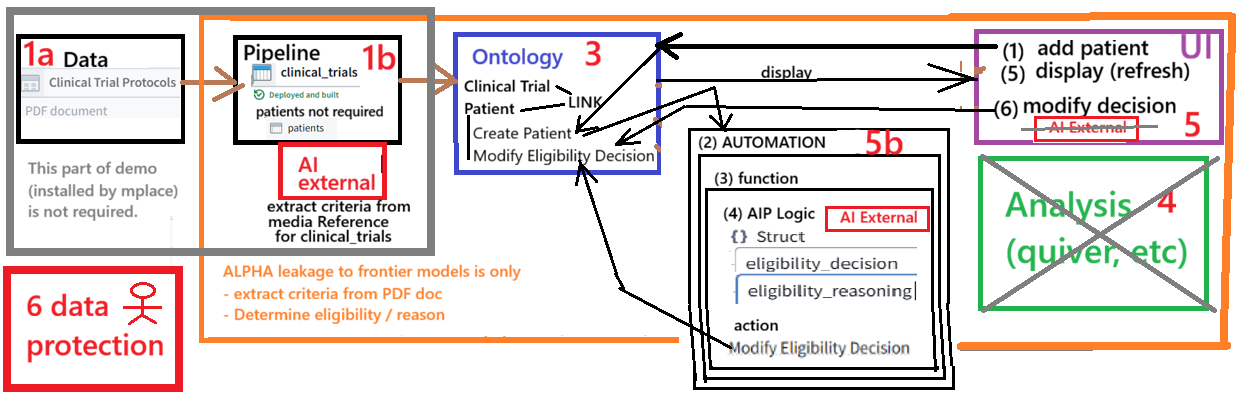
2.2 ZAI versions of the core ~8 Foundry getting started demos
This is currently (26.0914) the Main focus of (1) ZAI “3c Enterprise” and (2) ZAI in general.**
- NOTE: see 2.2x CONCEPTS (DEEP DIVE): ZAI demos above
- ~8 demos as a basic course in hands-on learning of the main concepts (as I see them).
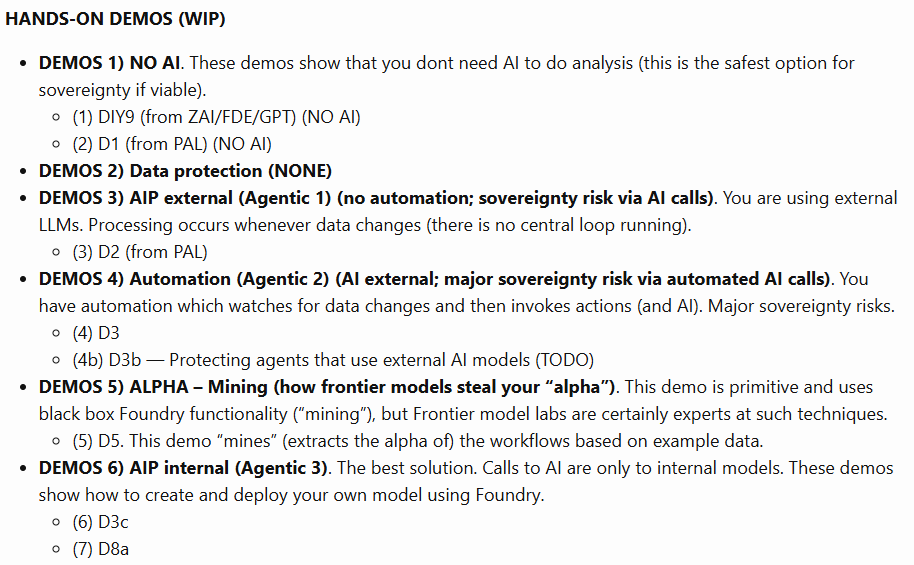
- Main diagram for demo D3 (Core workflow + Automation + AI external)
2.3 ZAI target app demos (TODO)
These will be focusing on target apps, for example “Haystack Needle” demos. Higher level docs, assuming you know the basics.
2.4 PAL Examples (installable)
FULL-FEATURED BUSINESS APP (WITH INSTALLER). I originally planned to focus on examples These are complete demos that auto-install. The big advantage is that you start out with a (usually) working version that you can modify piece by piece. Examples are complete (usually more complicated) and have an installer that allows you to start with a (usually) working version that you can modify. ZAI adds a few extra steps:
- Install a second (experimental) example
- Modify that example at your own pace
3 Project/Doc sources
- 3.1 ZAI doc sources (docx, gdrive, this site, etc)
- 3.2 PAL project/doc sources
3.1 ZAI doc sources (docx, gdrive, this site, etc)
- ZAI docx lab notes
- ZAI website
- docx/website extraction/maintenence
Demo doc creation/maintenance process (AI makes this process practical and reliable)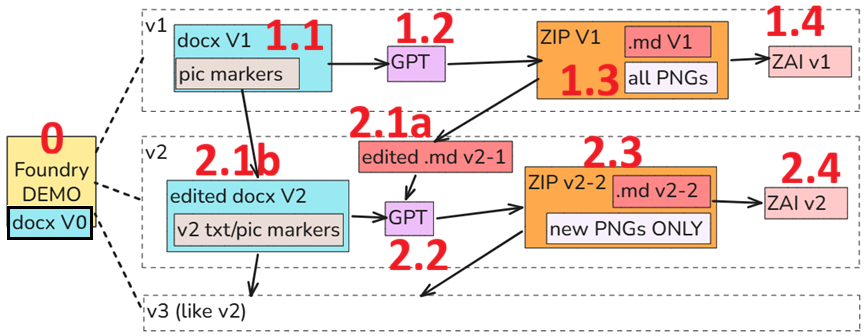
3.2 PAL project/doc sources
- See the chat with FDE about demo sources.
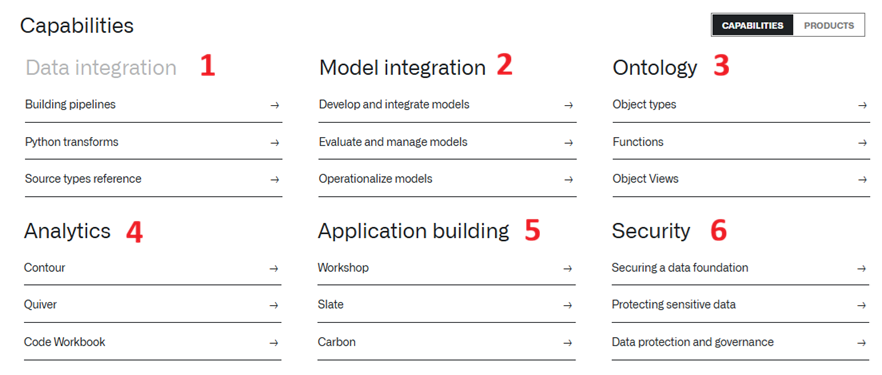
- palantir.com/docs/foundry. Has a lot of great content. But its probably not where you want to initially start. Note: The most interesting thing on this page for me was the diagram below (I added numbering that matches the workflow diagram in 1.2 above).
- Several Youtube sites. The sites I viewed were quite good, but not really suited for an absolute beginner. Documents are the best for absolute beginners (and they tend to be more up-to-date and can serve as the template for your own docs).
- build.palantir.com has links to examples/demos organized by type: AI Starter Pack, Document Suite, Reference Implementation, etc.
- learn.palantir.com has links to examples/demo organized by role: Data Engineer, App Dev, etc.

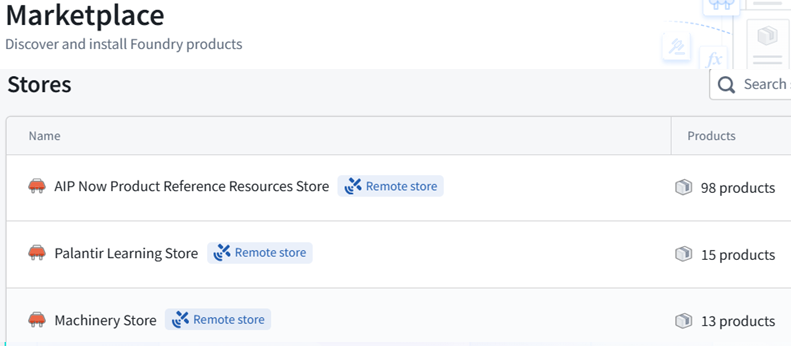
- [my-org].palantirfoundry.com/workspace/marketplace is a Foundry internal app for finding examples/demos organized by 9 “stores”.
26.1011 (0814, v1 26.0702)