3c.1b PAL/ZAI examples
TOC:
- 1 Why start with PAL/ZAI examples
- 2 Workflows
- 3 List of working examples
- 4 List of failed/TODO examples
1 Why start with PAL/ZAI examples
I started with PAL (Foundry) in early July 2026.
(1) At first I wanted to do the PAL examples. But could not do them because I needed basic experience with PAL projects/folders, dialogs, terminology, etc. The examples did hot have these details (the examples are not for beginners).
(2) So I did the demos. The demos were excellent, but
- You had to create everything from start to finish. Invariably you’d make a few small mistakes, and it did not work. And as beginner, tracking down the error even with FDE was not easy.
- I got lost in all the new dialogs and terminology. It was too much.
(3) But after a few weeks of demos, I finally installed an example, and then tried to duplicate it. I made 2 mistakes (because I did not have the details of how to set it up). It took me about half a day to fix those 2 errors. But I understood that this is the way to learn Foundry:
- Install, run, and document (in your own docx file) the (reference) example.
- Install again (test example), to a different directory.
- Rebuild all the parts piece by piece, constantly comparing with the reference installation.
(4) Other advantages:
- You make quick progress and dont get stuck so easily.
- You get a lot of experience with FDE.
- You can initially focus on the dialogs/tools, concepts, and terminology.
- You quickly build up your “own” portfolio of projects.
(5) Goals
- A big goal is to organize a large set of examples into a conceptual whole. That will take a while. Right now I am in the discovery phase.
- I cant do some really interesting examples because they use AI models that my trial subscription does not allow. I still need to ask PAL if I can get access (I cant install because of the model problem, and I can not change the installation process).
- I am still “racing” to get as many examples working as possible while my PAL trial subscription still works.I will pay attention to incomplete text and grammar errors later (if my subscription ends, I can still work on those issues).
2 Workflows
The basic workflow concepts is shown in the diagram below (not every example will be exactly like this):
- PAL example 1. Install and test a Palantir example.
- ZAI example 1. Install and test a second PAL example that you will rebuild from the top down.
- ZAI example 2: Add ZAI View.
- Create a new (ZAI) view (follow ZAI instructions and compare to PAL example).
- Connect ZAI view to the PAL Ontology (disconnect/delete PAL view) and test.
- ZAI example 3: Add ZAI Ontology.
- Create a new (ZAI) ontology (follow ZAI instructions and compare to PAL example).
- Connect ZAI Ontology to ZAI View and PAL pipeline (disconnect/delete PAL Ontology) and test.
- ZAI example 4: Add ZAI Pipeline.
- Create a new (ZAI) pipeline (follow ZAI instructions and compare to PAL example).
- Connect ZAI Pipeline to ZAI Ontology and PAL data sources (disconnect/delete PAL Ontology) and test.
Typical example workflow (some examples may not have all components shown)
3 List of working examples
TOC
- E10
- E11
- E17
- E14 (26.1014)
- E18 (moved 26.1015)
E10: Parse PDFs with LLMs in Pipeline Builder (26.0727)
- A very basic app that uses AI to summarize content of PDF files.
E10 output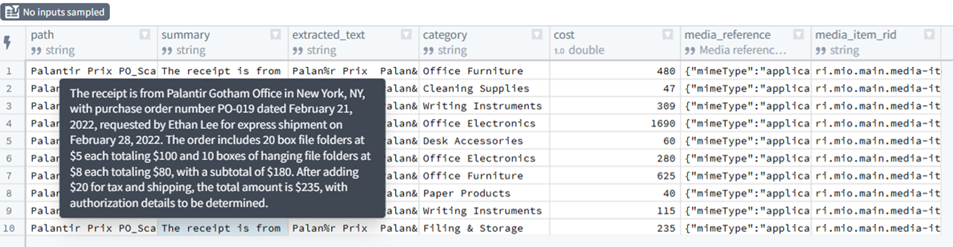
-
Docx for this example: #621_.docx.
- Example main diagram. Shows the main workflow; red squares highlight those items implemented for demo D19 (this is a a very rought first draft that will change greatly as I figure out the details).
(MAIN_E10.png)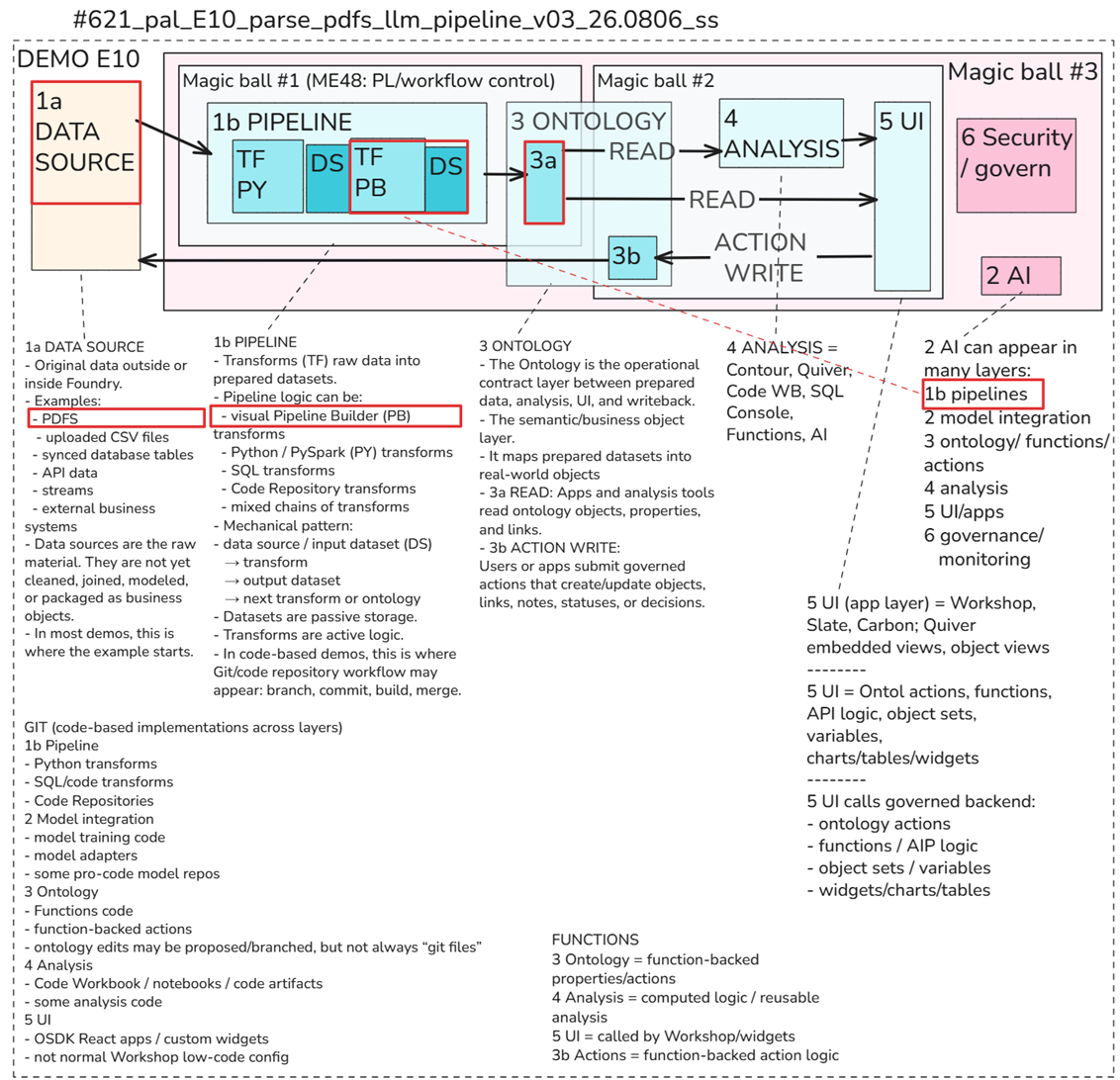
E11: Palantir Foundry example “Integrate GeoSpatial data with Gaia” (26.0728).
- Very interesting app.
- Inputs 2 sets of intelligence data (ELINT and ATR GEOINT).
- Finds ~3 million matching entries.
- Sifts through the 3 million to find 4 entries of interest.
- Displays the 4 entries on a map.
E11 output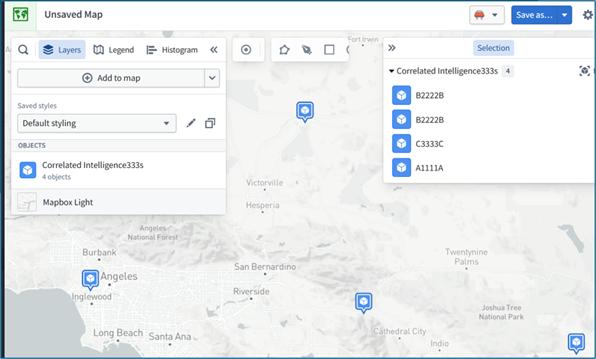
- Docx for this example: #622_.docx.
- Example main diagram for E11 (example 11): shows the main workflow; orange squares highlight those items included in example install.
(MAIN_E11.png)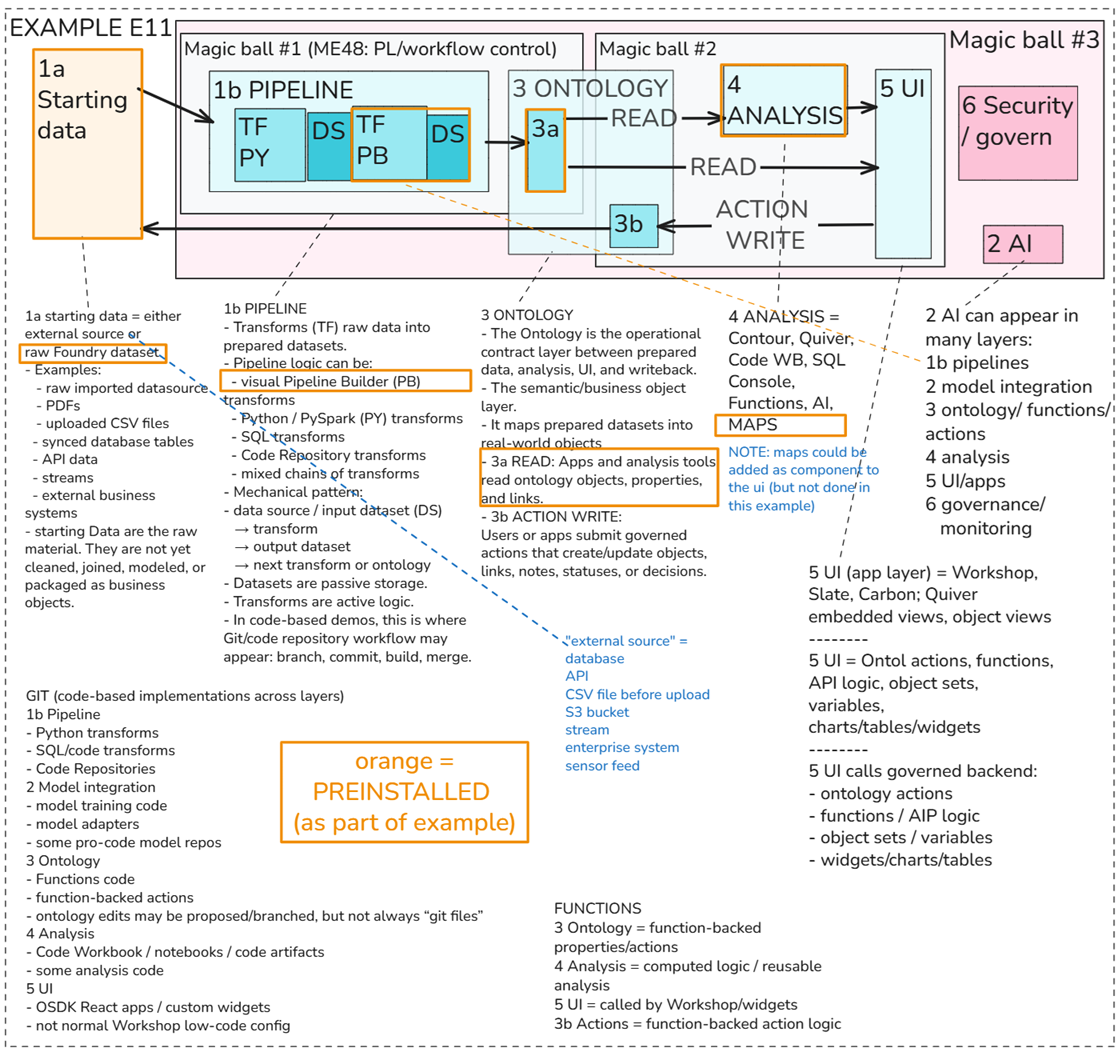
E17: Detect anomalies in time series data with Code Workspaces (26.0731).
- Complicated demo, but quite interesting.
- Code for model to detect time series anomalies.
- Quiver for display data.
- Requires quite a bit of manual action to process data.
E17 output (the green boxes show my modifications to the input data)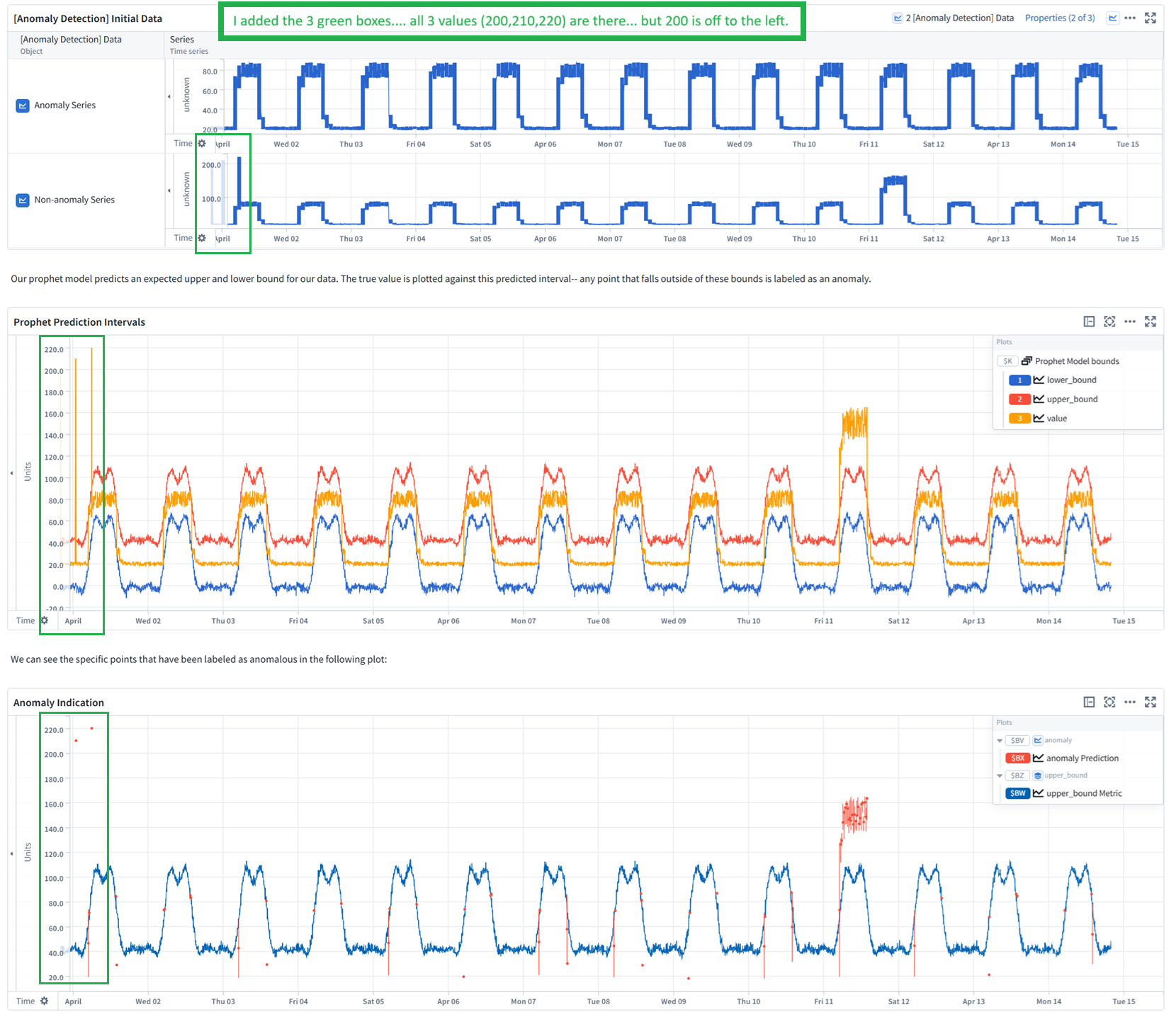
- Docx for this example: #626_.docx.
Example (left, center) and my own build (right) (3c.1b)
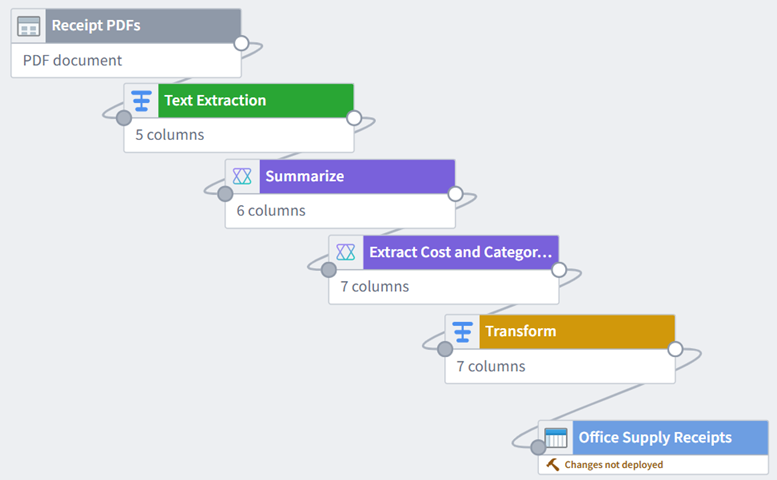
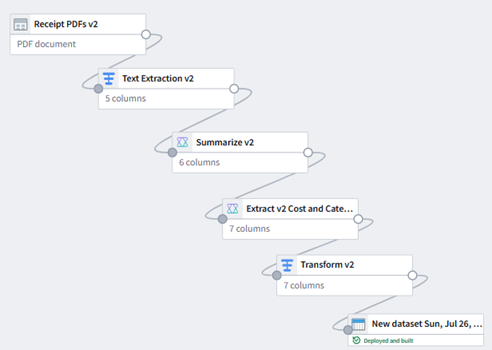
Workflow diagrams for examples are usually a bit more complicted than for demos.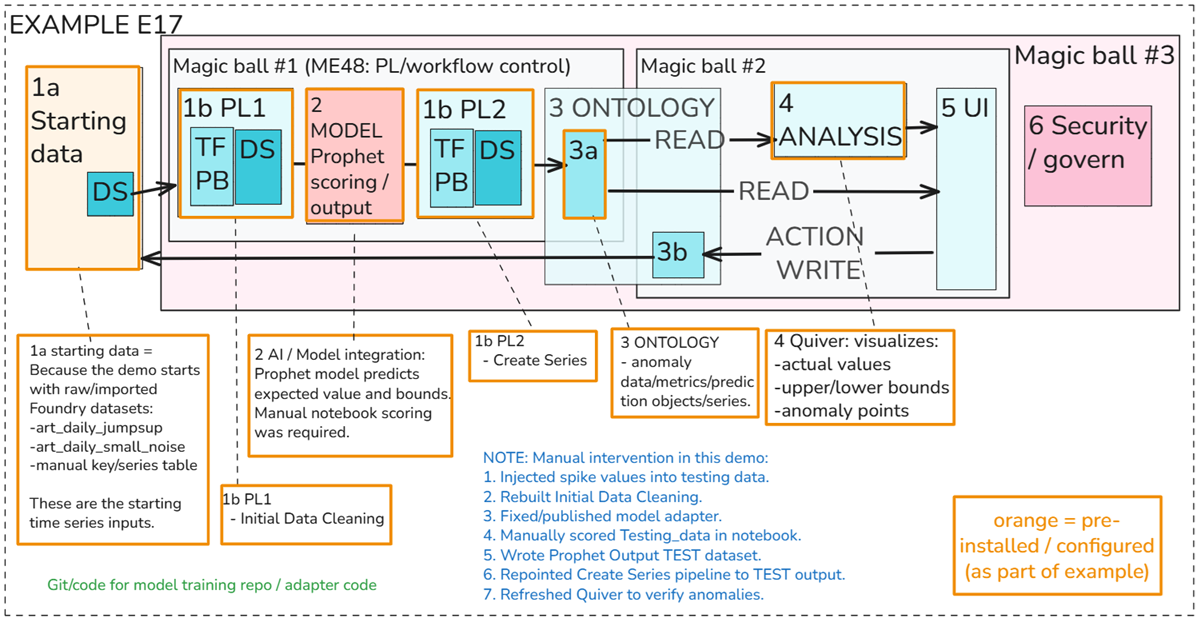
E14: Evaluate Retrieval-Augmented Generation (RAG) methods (26.1014)
- #629
- https://ziptieai.usw-17.palantirfoundry.com/workspace/now/platform/7997a708-4d1e-4efb-bfca-882dc172b4e8
- E14
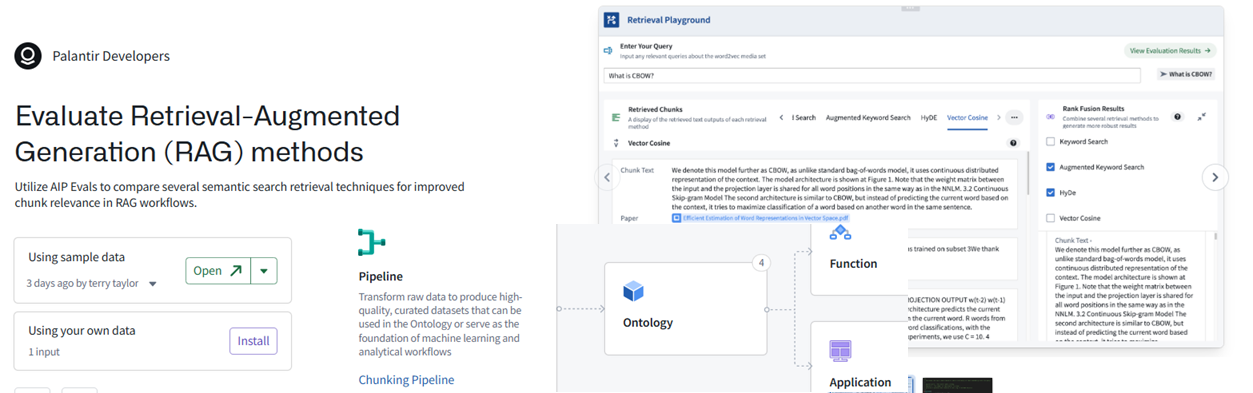
- E14
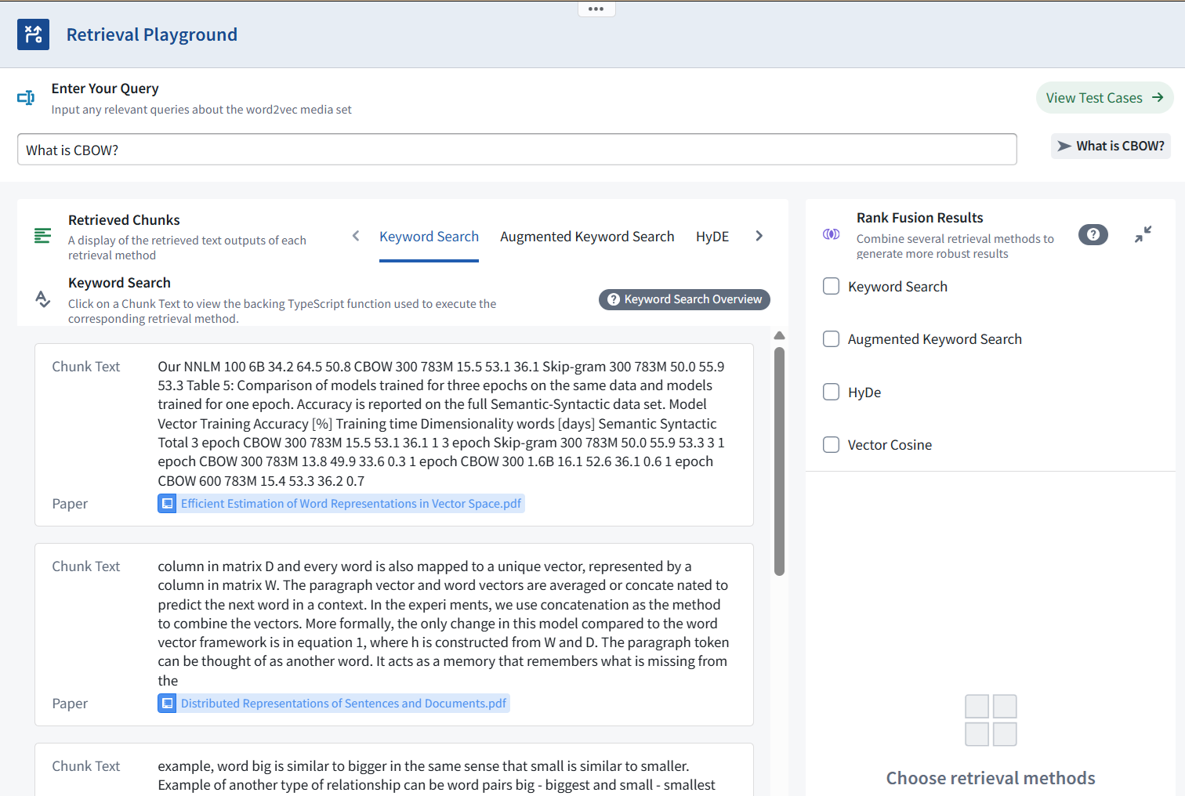
E18: E18_build_w_aip_chatbot_studio
- #???
- https://ziptieai.usw-17.palantirfoundry.com/workspace/compass/view/ri.compass.main.folder.5684e562-8ccd-4c8d-934a-3b50d8861dd7
- E18
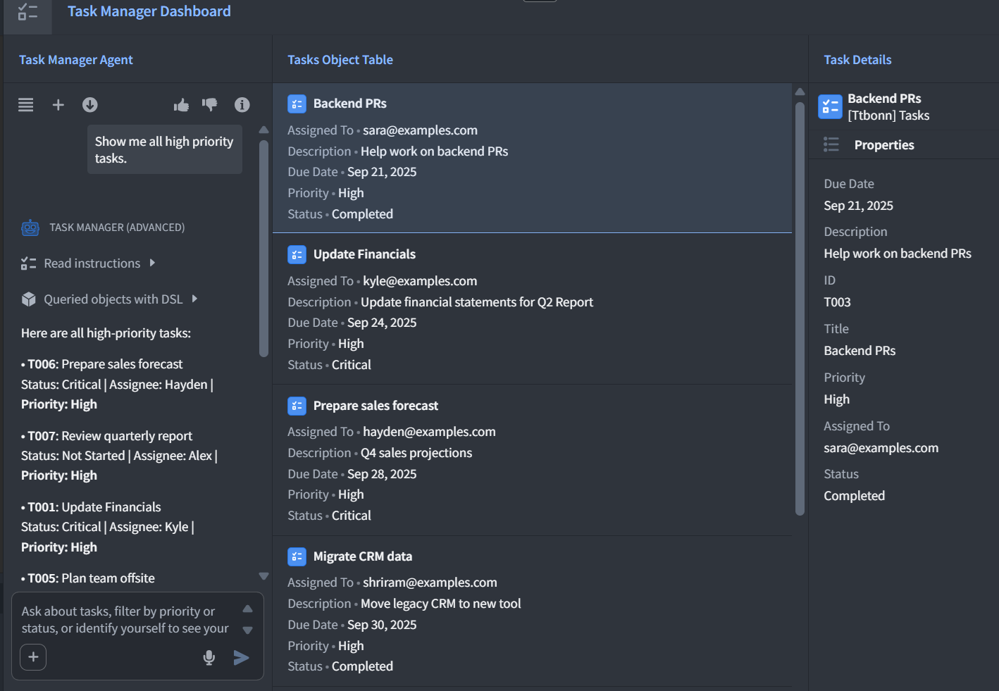
4a List of TODO examples
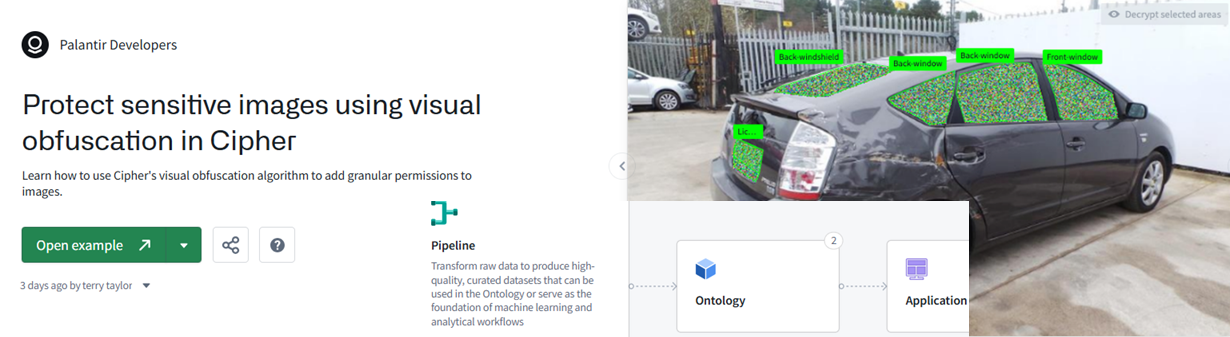
E13: Protect sensitive images using visual obfuscation in Cipher.
- no Docx??
- https://ziptieai.usw-17.palantirfoundry.com/workspace/now/platform/b88675ed-e8f9-4bc9-b75b-aa446930d07b
- E13
4b List of failed/xxxx examples
xxxx (TOO COMPLEX) E12: Build a common operating picture with geospatial data (26.0729).
- Docx for this example: #623_.docx.
- https://ziptieai.usw-17.palantirfoundry.com/workspace/now/platform/266edc4b-05f6-46ed-b724-65aa8453ce02
- (FOR NOW PASS ON THIS… TOO COMPLICATED (WORKSHOP))
E12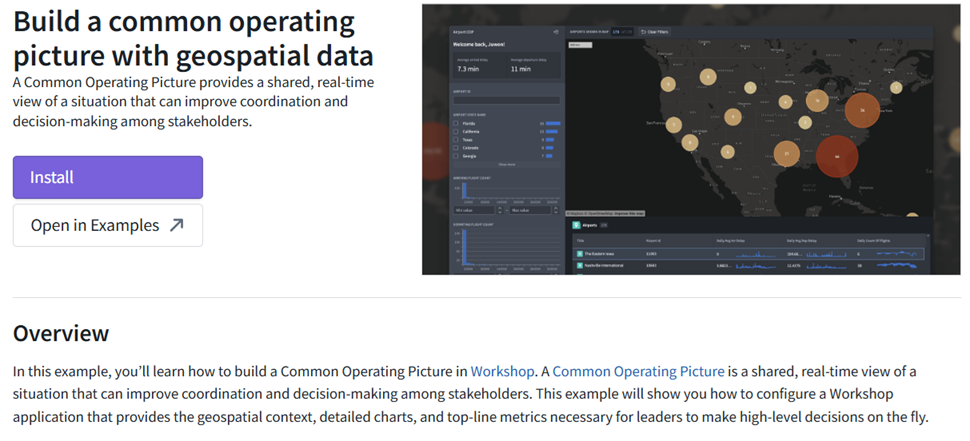
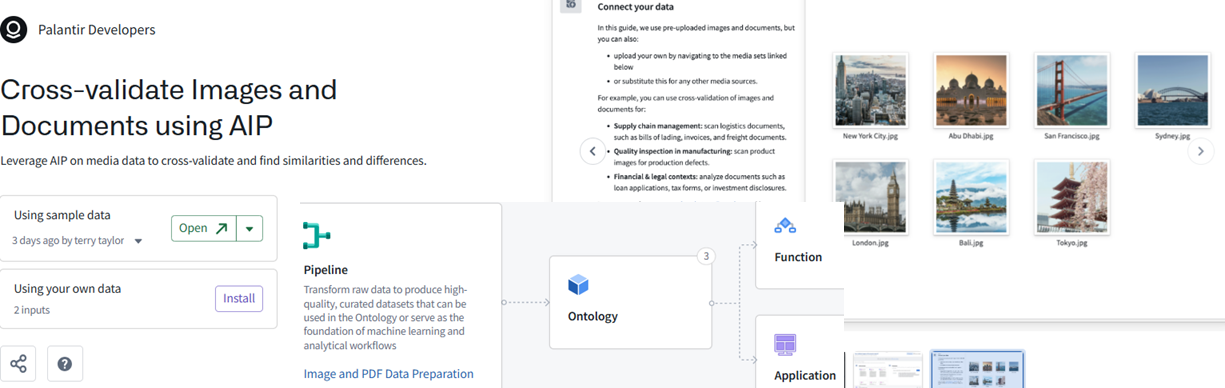
xxxx FAIL ### E15: Cross-validate Images and Documents using AIP.
- #624_pal_E15_cross_validate_images_docs_aip_v02_26.0730_ss
- https://ziptieai.usw-17.palantirfoundry.com/workspace/now/platform/e99a7898-6dc2-4394-a5ec-a583a2d87568
- E15
xxxx E16: Basic Pyspark Transform references
xxxx #625_pal_E16_cluster_time_series_datad_v01_26.0730_ss
- junk, fails during install.
NOTES
The following is a chat with PAL’s built-in FDE chat assistant.
ME: if i can (1) install examples that work, test them, analyze, then (2a) delete a part and try to create the missing part myself or (2b) just delete everything but the data and replicate everything….
then (3) why do the demos at all? (4) why doesnt palantir simply start a new user with examples??? one of the first demos i did.. it took me 2 days to get everything right. i was overwhelmed by all the new stuff, the dialogs.
FDE (PAL HELP CHAT): I think your approach is actually the better learning method.
The official demos often assume you already understand Foundry vocabulary:
dataset
pipeline
object type
ontology
media set
deploy
preview
sampling
Workshop variable
action
For a new user, that is too much at once.
Why examples are useful
Installed examples give you a known-good reference:
working pipeline
working ontology
working app
working data
Then you can learn by controlled damage:
- Break one part.
- Rebuild that part.
- Compare against the working version.
- Repeat.
That is much better than starting from blank with 20 unfamiliar screens.
Why Palantir still has walkthroughs
Walkthroughs are meant to teach the intended workflow, but they often skip the “beginner friction”:
- what each icon means,
- what is a node vs dataset vs object type,
- when preview is just preview,
- why deploy means build,
- why
/column_namematters, - why sampling changes row count,
- why an Ontology object and a dataset can have the same display name.
Those missing micro-details are exactly what confused you.
Best learning pattern
For you, I would use this pattern:
Install example
→ run/verify it works
→ inspect each resource
→ duplicate/recreate with same data
→ intentionally change one thing
→ add Ontology
→ add Workshop
→ add Automate
That turns examples into a “lab bench” instead of a vague tutorial.
So yes — Palantir probably should onboard new users with small working examples first, then ask them to modify/replicate them step by step.
26.1014 (0809, v1 26.0728)