3.2.2 Agents + AI / Diagrams
- 1 Ecosystem
- 2 Agent <> LLM interface
- 3 Workflow diagram / simple
- 4 Workflow diagram / detailed
1 Ecosystem
The LLM as a helpful assitant for the agent
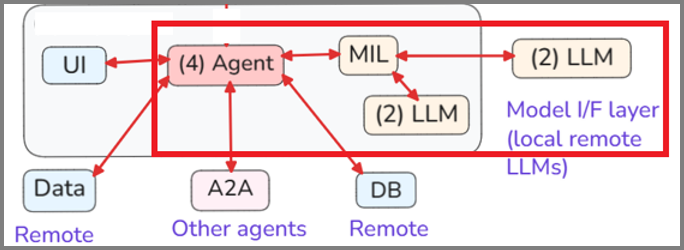
2 Agent <> LLM interface
Details of the agent <> LLM interface
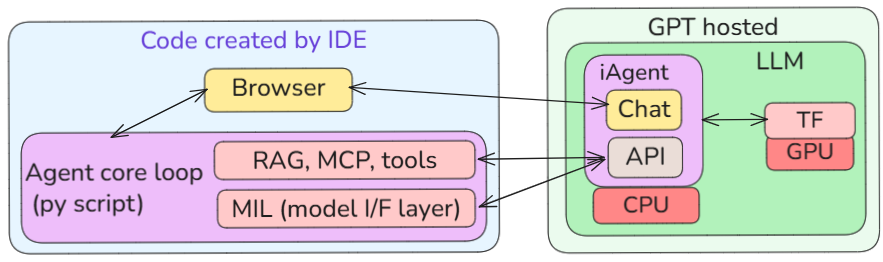
3 Workflow diagram / simple
In the diagram below:
- Agent (external) collects human language (HL) data (blue square) from the UI, DB, APIs, etc.
- Agent creates a HL prompt that contains specifications (JSON) for the LLM response.
- LLM (red square) responds with HL that conforms to the JSON specs (I sometimes refer to this as HL “machine” language because its content and structure is fairly predictable).
- Agent can then process this “machine” language” response realiably.
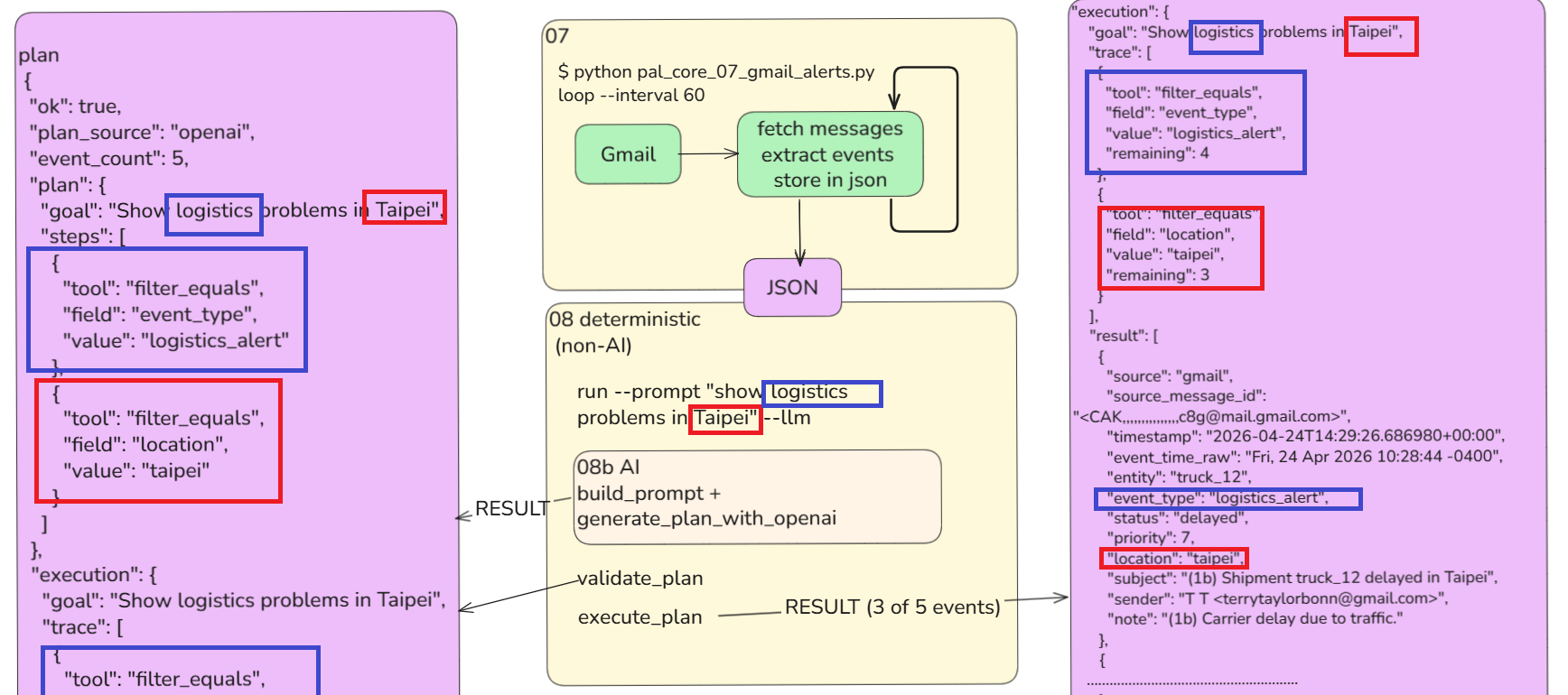
What AI does for an agent

The following diagram shows a demo of this.
- (1) 08b The agent uses LLM AI to generate a granular multi-step atomic plan that matches the agent’s deterministic logic.
- (2) 08 The agent validates (deterministicly) the plan.
- (3) 08 The agent executes (deterministicly) the plan.
Diagram from Substack post #75 The Real Job of AI in Enterprise Apps shows how AI is only used to generate a plan (“08b AI”)
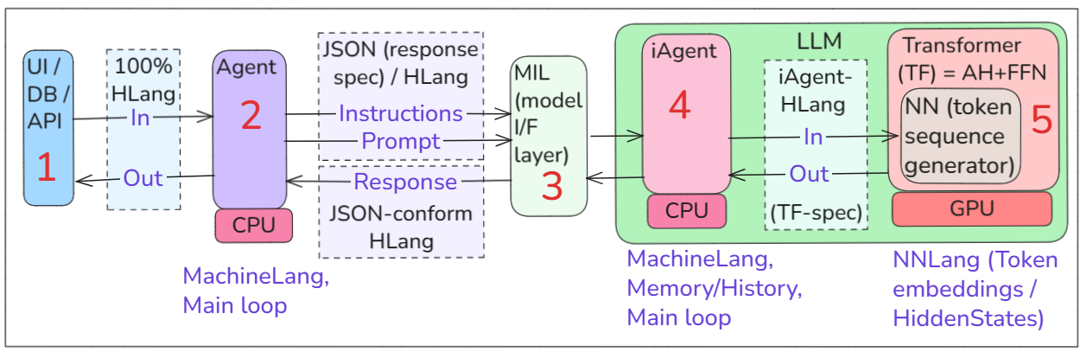
4 Workflow diagram / detailed
In the diagram below:
- 1 UI/DB/API (human language sources and destinations) interface with 2 Agent (the main loop).
- 2 Agent adds extra info/requirements (JSON) to LLM input. This defines the desires LLM response content/structure.
- 3 Model (LLM) interface layer. Every LLM may require slightly different prompts and output slightly different responses. Palantir uses MIL to support “hot” swapping of LLMs.
- 4 Internal agent (iAgent) controls 5 TF. The iAgent is custom designed to interface with the TF.
- 5 TF creates output text for the input text (based on patterns detected during training).
- 4 LLM iAgent sends response to 2 (external) agent.
- 2 Agent processes the response.
Workflow diagram
26.0520