P3 Add AIP / Action (Add Ontology modification)
In this phase 3 you
- Invoke the governed Action
- Map LLM outputs to Action parameters
- Preview the proposed edits
For details see:
- Speedrun (the original demo documentation)
- Section “Instuct agent to edit your ontology”
- #614_.docx
The following diagram shows what you create:
P3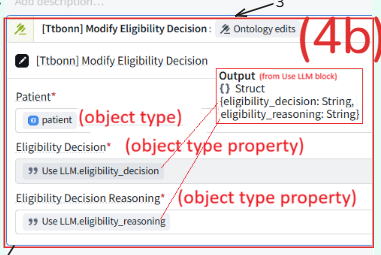
TOC:
- P3.1 Configure action
- P3.2 Test action
P3.1 Configure action
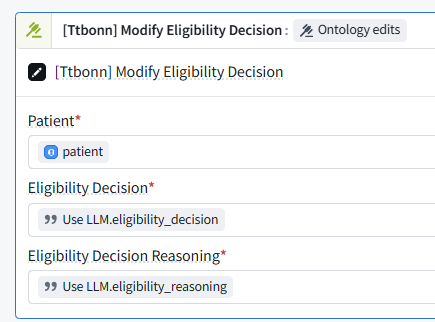
P3.2 Test action
- Click on the play button in the top right corner
- Populate the function inputs
- For example, for the patient search and find a patient name Priya Nair
- For the clinicalTrial, find the clinical trial Glycurex for Type 2 Diabetes
- Click the blue Preview run button at the bottom of the drawer
- The Debugger drawer will automatically open, showing you the execution steps of your agent
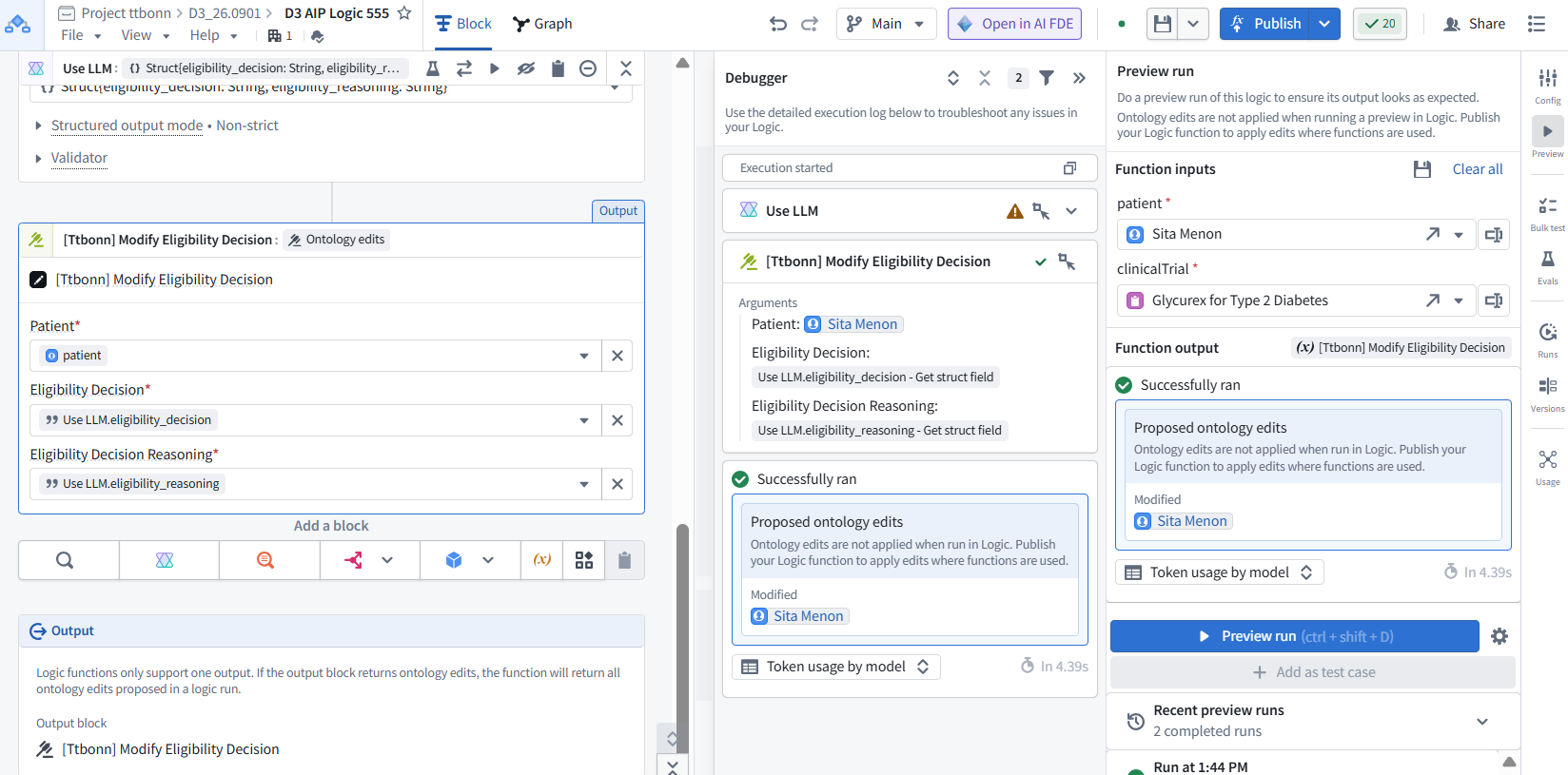
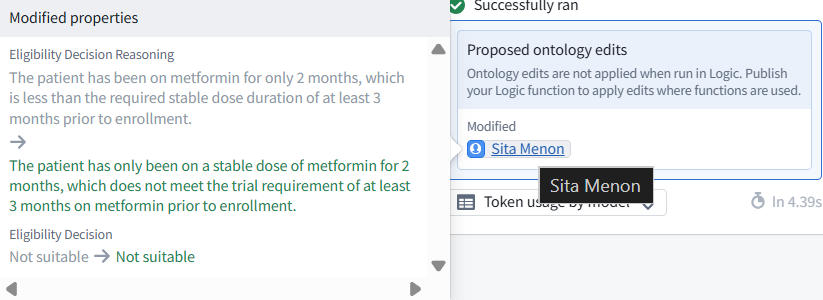
- Hover over the object for which the ontology edits are proposed
26.0902 (v1 26.0831)