P5 Create the Automation
In this phase 5 you will
- Monitor Patients entering the object set
- Invoke the published function version
- Bind dynamic and static inputs
- Stage or automatically commit edits
- Configure retries and monitoring
For details see:
- Speedrun (the original demo documentation)
- Section “Automate your agent” / “Create Automation”
- #614_.docx
The following diagram shows what you create:
P6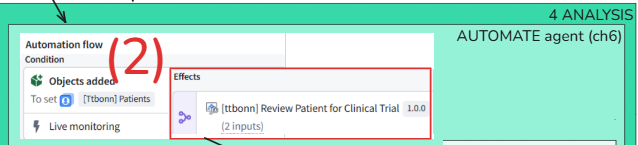
TOC:
- P5.1 Create new automation
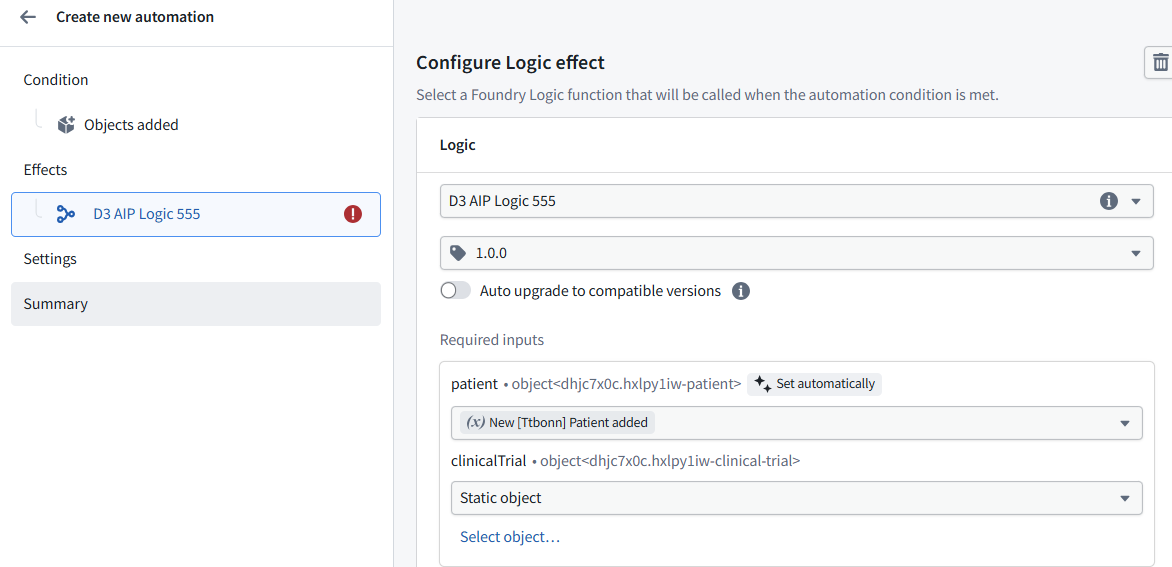
- P5.2 Add clinicalTrial object
- P5.3 Create automation
- P5.4 Disable old automation
- P5.5 Open the “View automation events” dialog
- P5.6 Create patient (in UI)
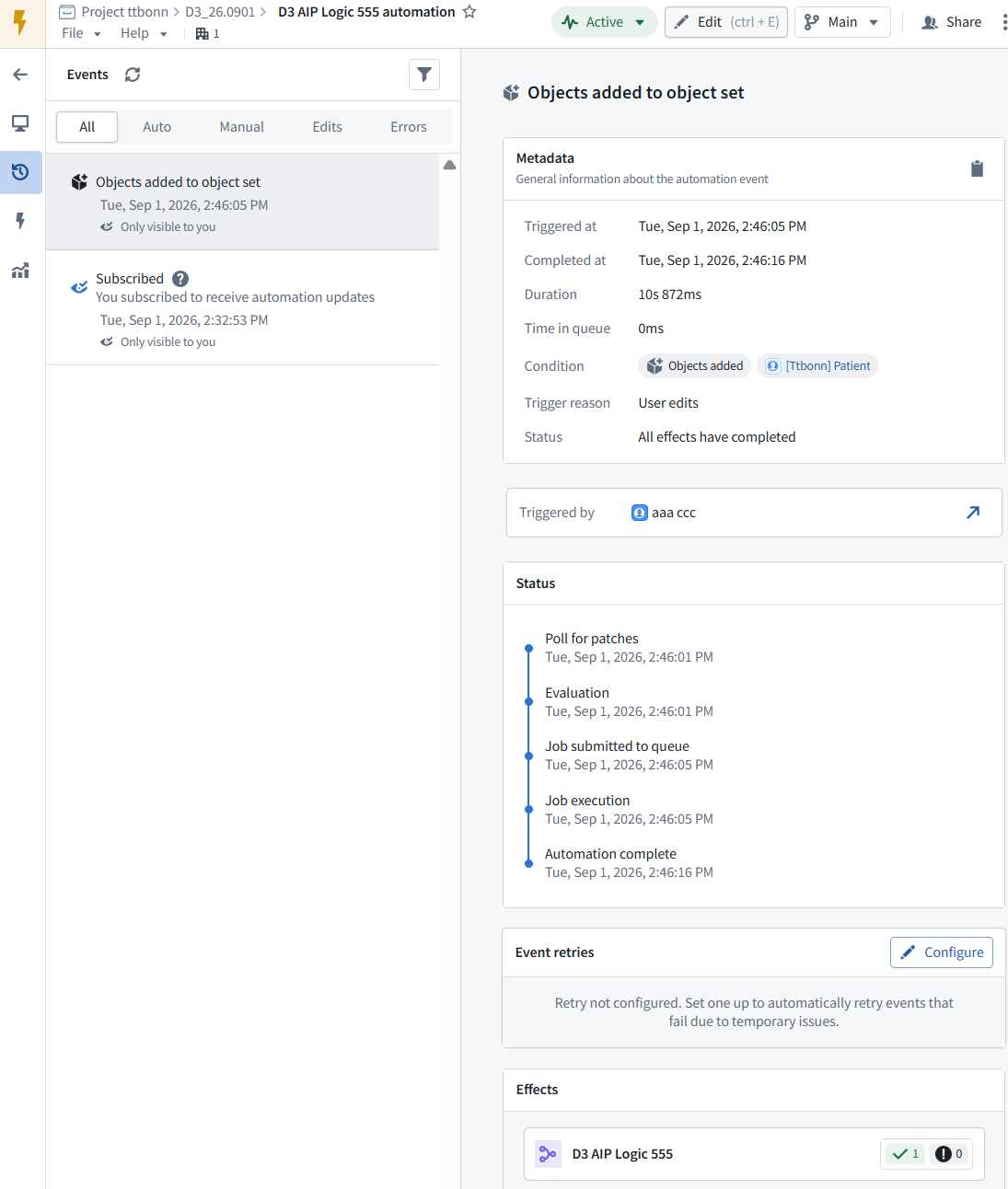
- P5.7 View the automation event
- P5.8 Final UI result
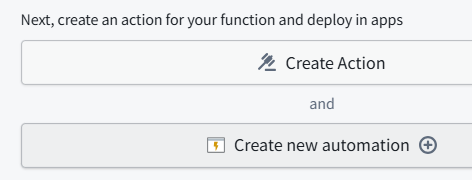
P5.1 Create new automation
(from AIP logic dialog)
P5.2 Add clinicalTrial object

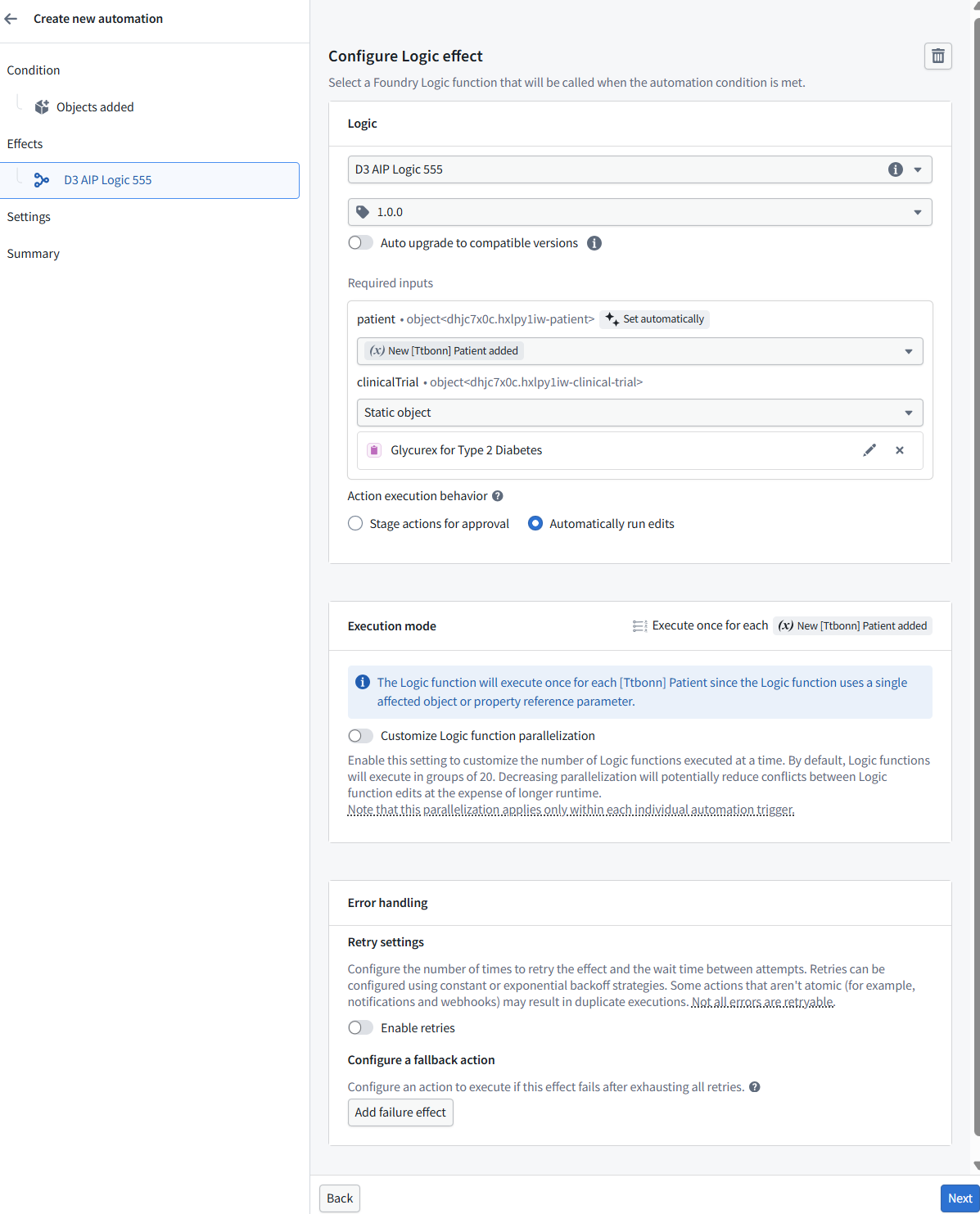
P5.3 Create automation
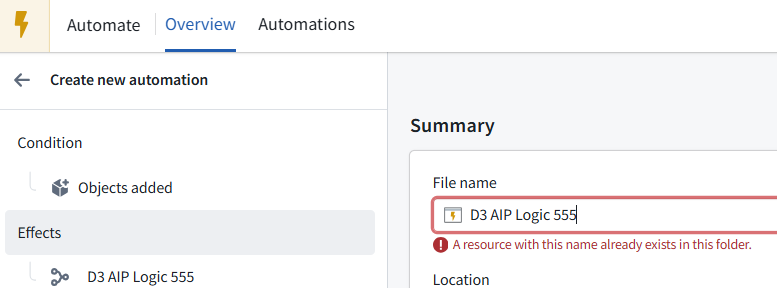
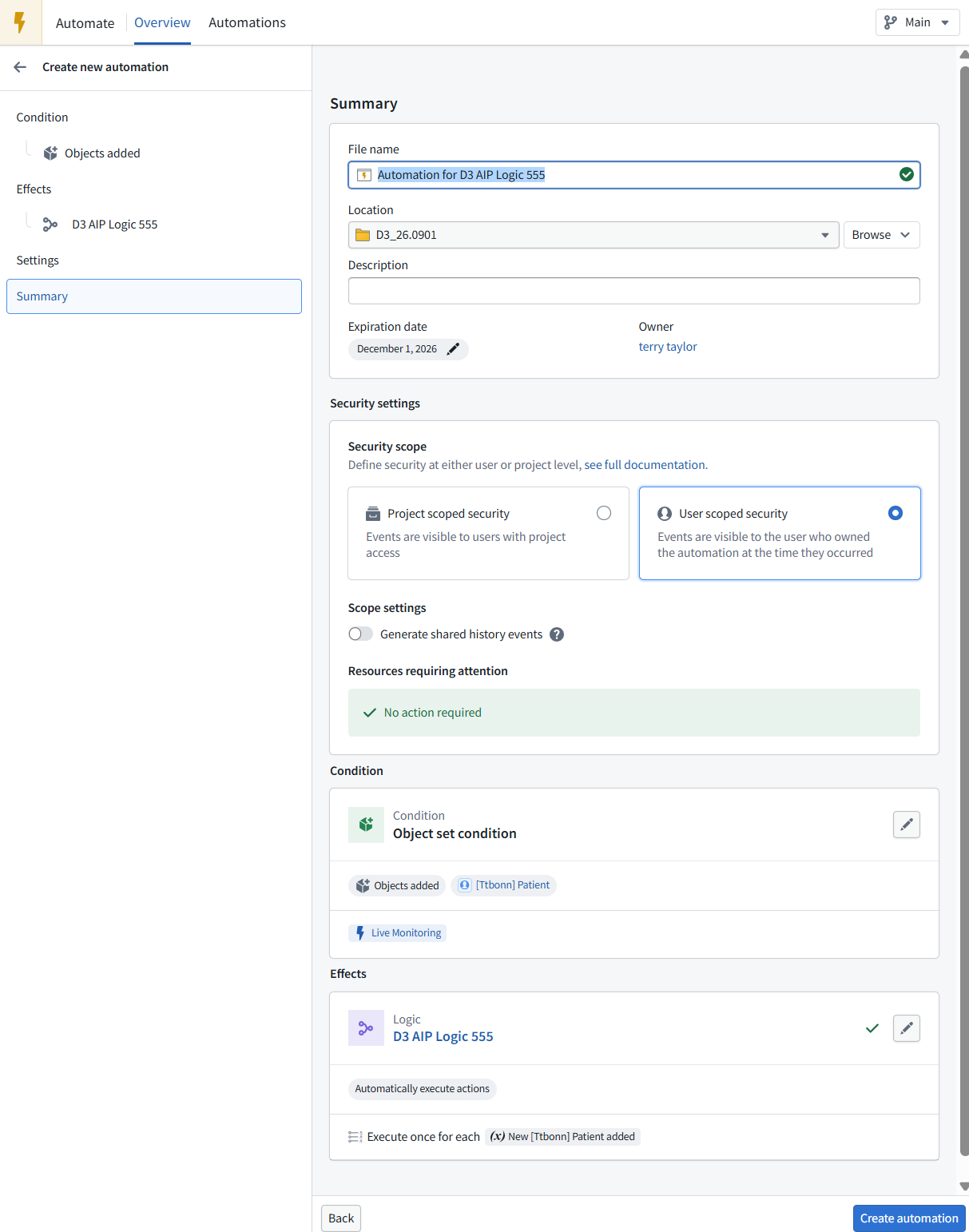
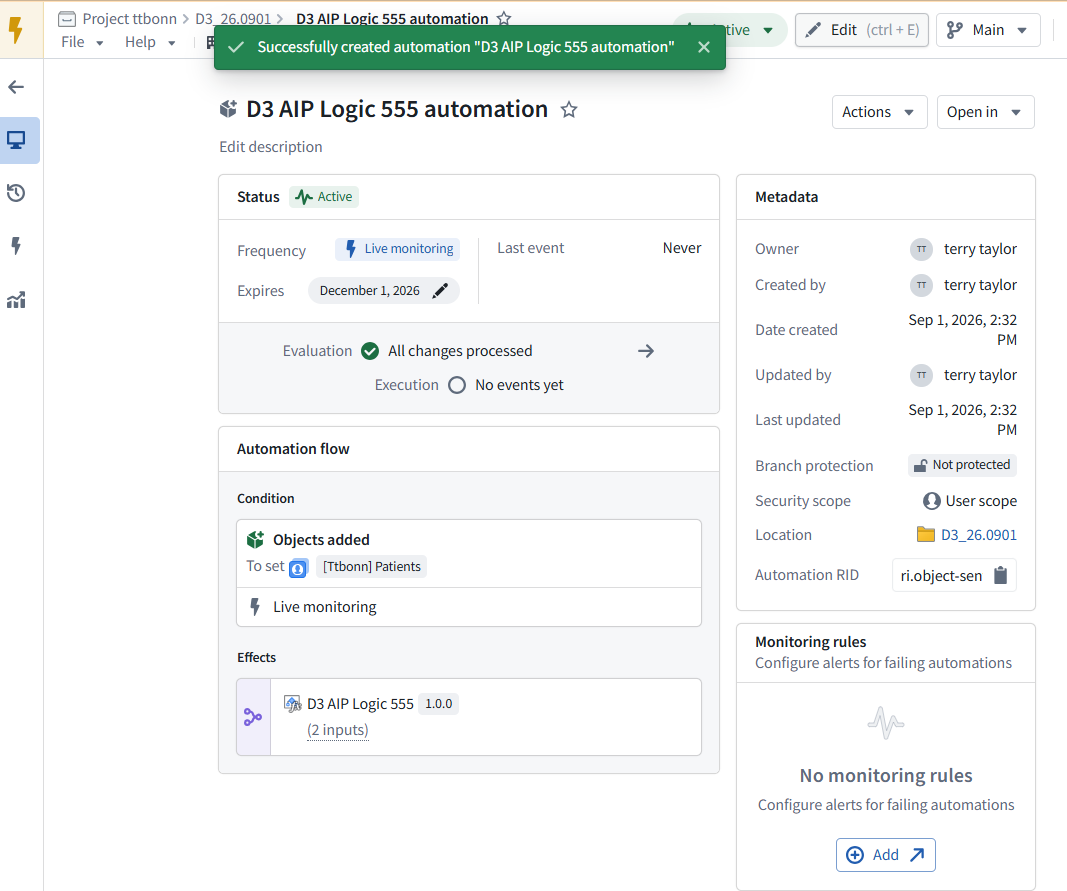
NOTE: It will:
- live-monitor
[Ttbonn] Patient; - trigger when a Patient newly enters the object set;
- invoke
D3 AIP Logic 555once for each new Patient; - automatically execute the returned Action edits.
NOTE: Before clicking Create automation, verify only:
- The old Automation is paused, to avoid duplicate processing.
- The static Clinical Trial input is the intended trial.
- The December 1, 2026 expiration date is intentional.
- User scoped security is appropriate. Use project-scoped security only if teammates need to see the execution events.
P5.4 Disable old automation
https://ziptieai.usw-17.palantirfoundry.com/workspace/object-monitoring/automations
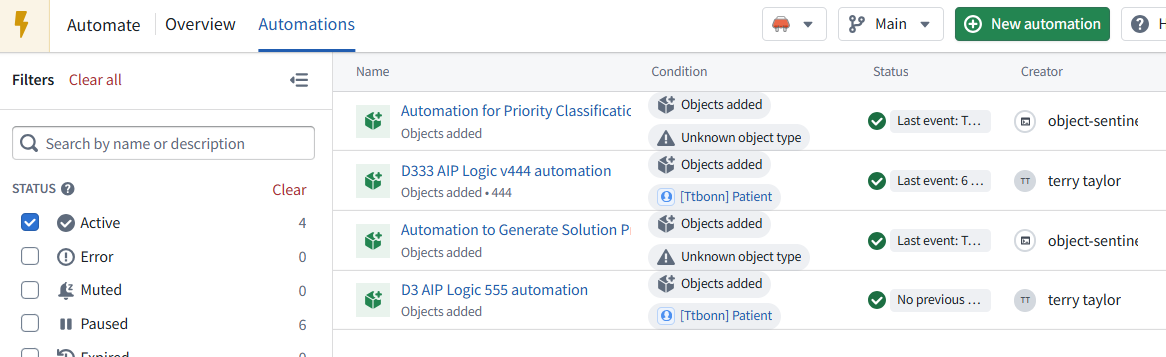
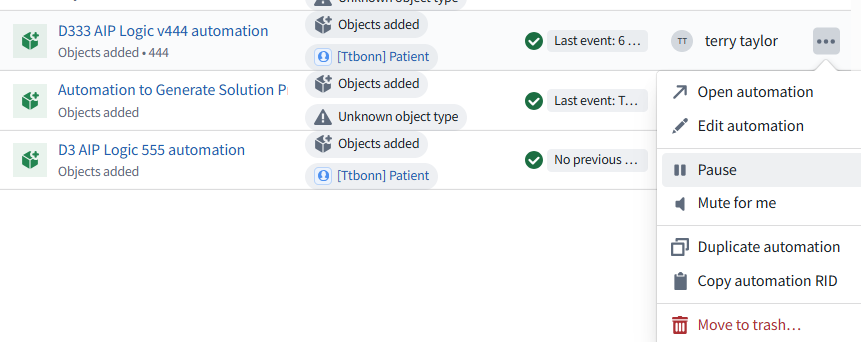
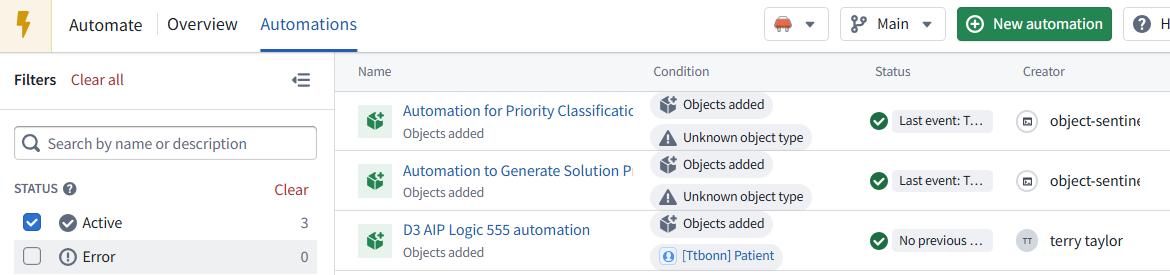
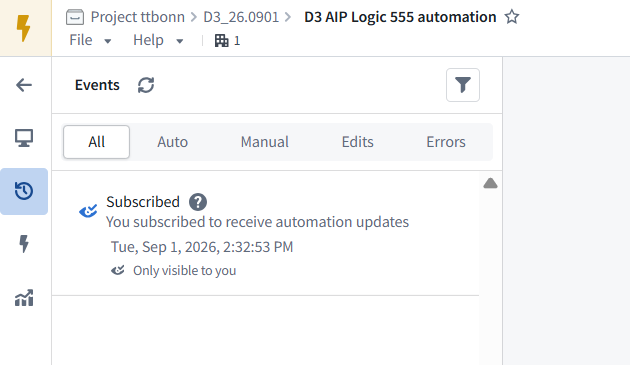
NOTE: The new Automation is active and waiting for its first event.
No previous events is expected until a new Patient is added. To test:
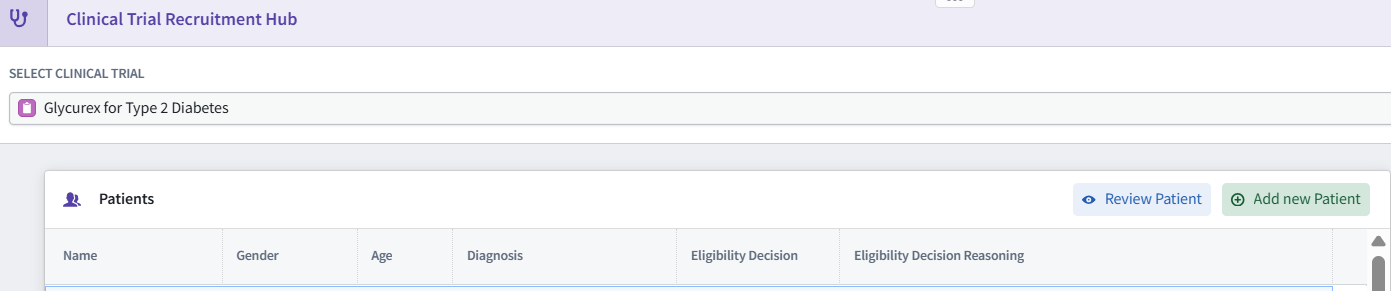
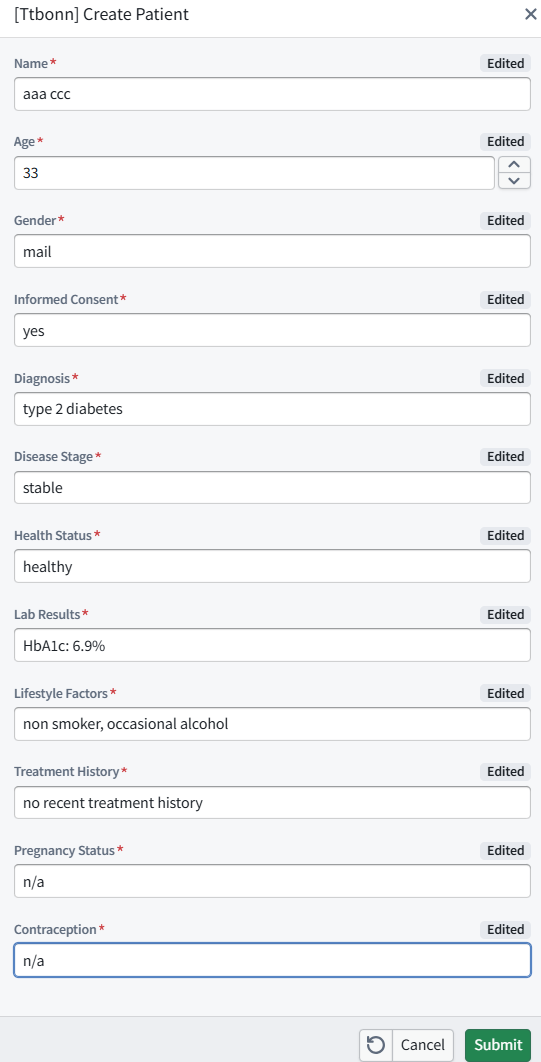
- Add a new Patient through the UI.
- Wait up to approximately one minute.
- Check the Automation’s event history.
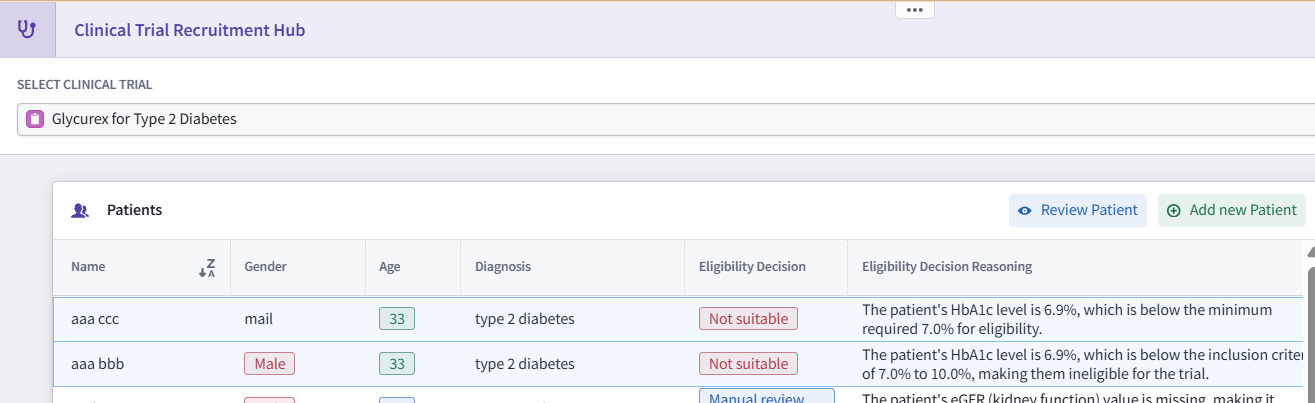
- Refresh the Patient display and verify the eligibility decision/reasoning.
The two Unknown object type warnings belong to unrelated Automations and do not affect D3 AIP Logic 555 automation.
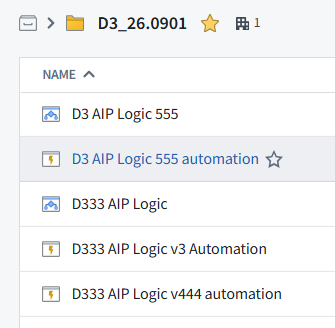
P5.5 Open the “View automation events” dialog
P5.6 Create patient (in UI)
P5.7 View the automation event
Refresh page
P5.8 Final UI result
(note: small letters come after capital letters)
26.0902 (v1 26.0831)