Important info about doing demos
Demo videos vs docx’s
Ontologize.com has a lot of top Youtube videos for learning Foundry. However, in the Ontologize video for the first PAL demo “Speedrun: Your First End-to-End Workflow” they say “…we’re going to build a fully end-to-end workflow. This course is not going to go into all the detailed ins and outs of each step. This is about the big picture and to give you a taste of how everything fits together.”
I spent days getting that demo working because of a few small errors. You need those details. ZAI is about mastering the (1) the Foundry UI and (2) the details of each demo. When you first start out, (1) is the most difficult (its an excellent UI, but requires some initial study). And the eventual goal is a thread of videos (based on PAL demos, but with ZAI docx docs and modified workflows). Details are everything. ZAI numbers docx’s, demos, headings and steps. And every screenshots (WIP).
Ontologize has another great video “Speedrun: Mining your First Business Process (update)” . Note that word “update”. Videos are great, but they are hard to update and fix. ZAI demos are not. The text/pics on this website are extracted from docx master files by a very efficient process where GPT does all the heavy lifting. This makes quick total updates quite possible. For a video thats a major process. And the ZAI docx source files have lots of tech and historical notes.
Understanding how to use FDE to debug is CRUCIAL
Without FDE, you will get stuck. With FDE skills, you fix anything. FOR EXAMPLE: Look at the ZAI docx for that mining video (#616) at the end of ch6 section 6.2 step 3 is the heading “ERROR”. The following shows that error text/screeshots. What apparently happened was a timing error. Foundry does things in the background, and sometimes something is not finished (but it NOT obvious). That can easily cost you hours of debugging. Understanding those errors and how to debug them (with FDE) should the real focus of any initial demos.
ERROR. Failed to load aggregation result. Here are the details of the error:
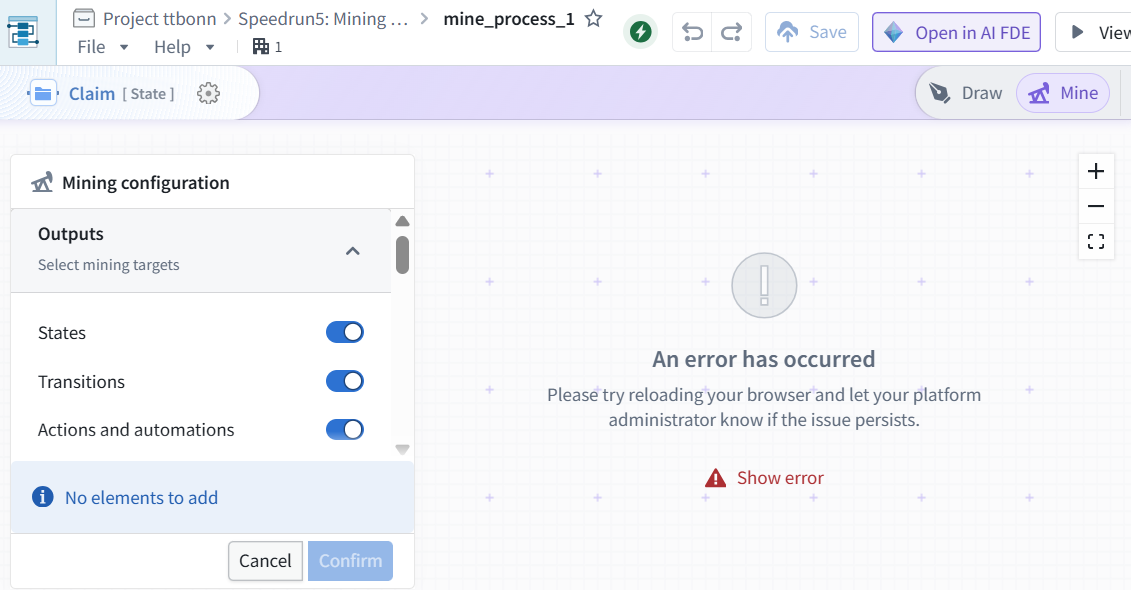
then FDE/GPT did some stuff (SEE GPT CONVERSATION 26.0718_1035)
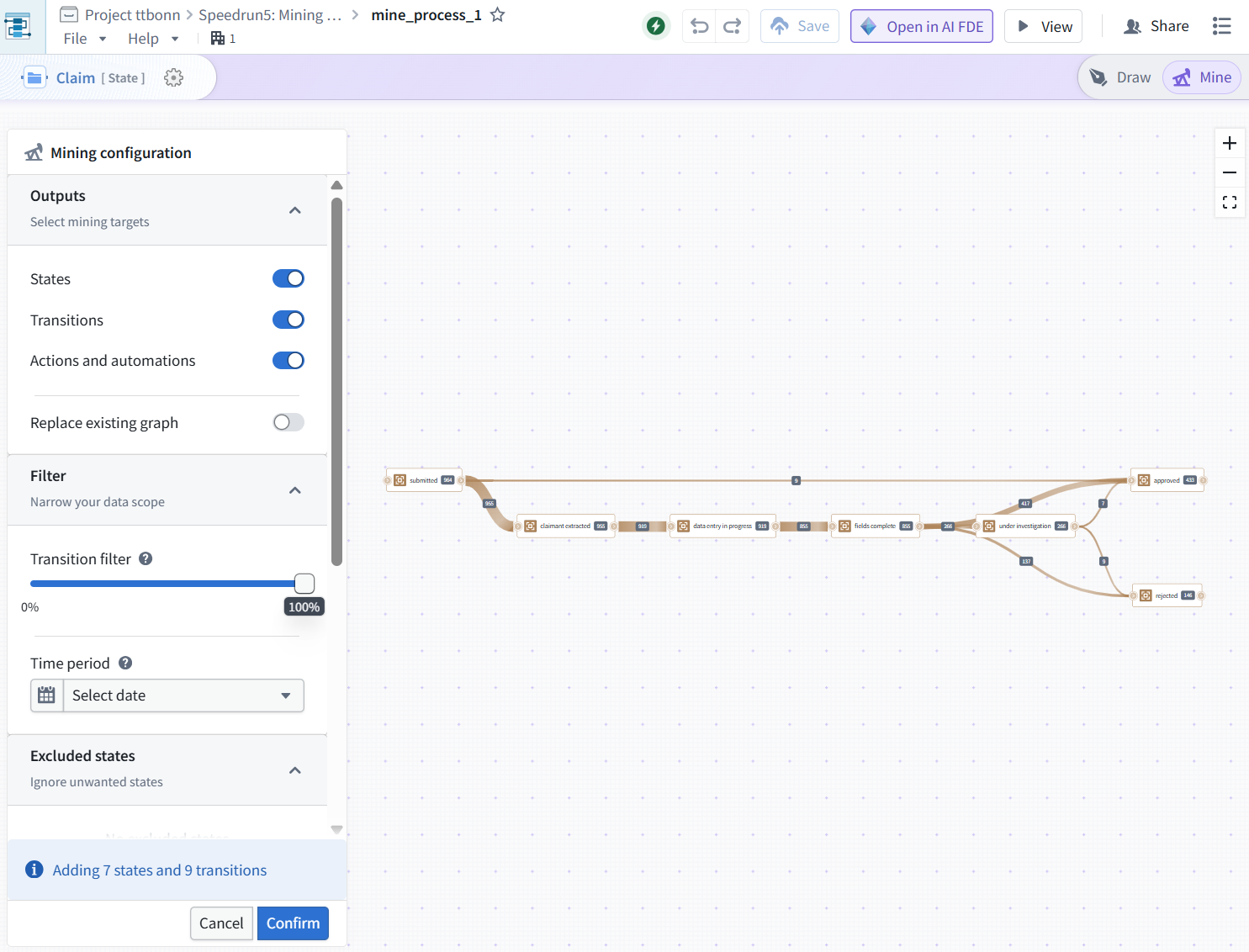
ME: i clicked “ready to mine” again.. and seems it worked.. did you fix something?
FDE: No — I did not change or fix anything in the resource. I only inspected the saved Machinery graph and the underlying Ontology/log data. What likely happened is that the earlier “Failed to load aggregation result” was a transient loading / aggregation / browser-state issue, and when you clicked Ready to mine again the aggregation succeeded.
Now that it worked, do these steps before refreshing:
- Click Confirm in the Mining configuration panel.
- Your screen says: Adding 7 states and 9 transitions.
- Until you click Confirm, those mined elements may not be added to the graph.
- After the graph updates, click the top Save button for mine_process_1.
- Wait until the save completes / the Save button no longer indicates unsaved changes.
- Then it should be safe to refresh or reopen.
Your saved Machinery resource is still:
- mine_process_1 So the important point is: Ready to mine only previews/adds mined results; Confirm + Save is what makes them persist in the document.