Demo D2 "Speedrun -- Your First AIP Workflow"
This ZAI section describes the concepts and workflows for the ZAI version of demo D2.
- The original demo D2 was for various reasons quite challenging including
- Documentation.
- Parts of the demo require an enormous amount of time not only to config but also to understand; after understanding how they work, you realize they have nothing to do with AIP.
- The page markdown is generated by GPT (as specified in my prompt) using a simple system of tags in the docx file.
See also:
TOC
- Concepts
- C0 – Minimizing AI risks (in the enterprise). “AI sovereignty” has become a hot topic recently. But what exactly does this mean, and what are the options?
Alex Karp sounding the alarm about the risks of AI in the enterprise.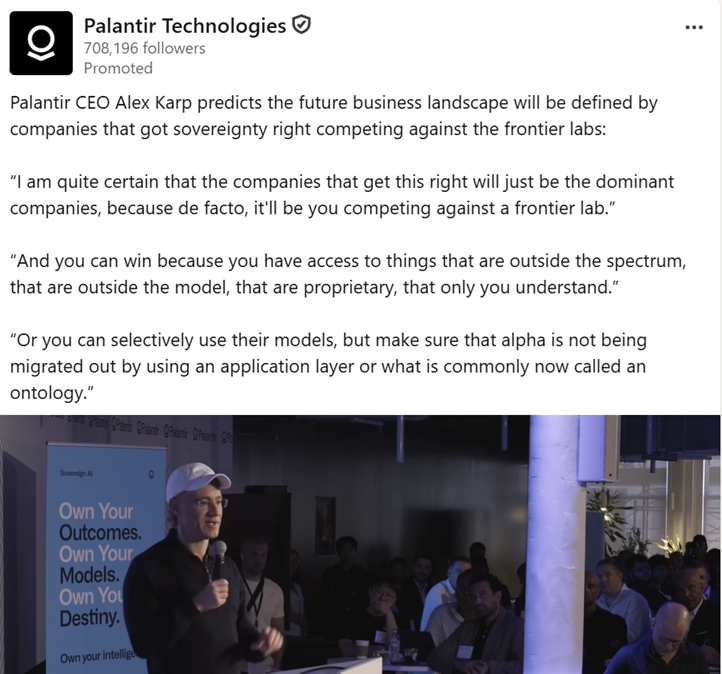
- C1 – Why do the ZAI version of this demo.
“Little” things like numbered headings are extremely helpful (I will number each granular step in demos in the future).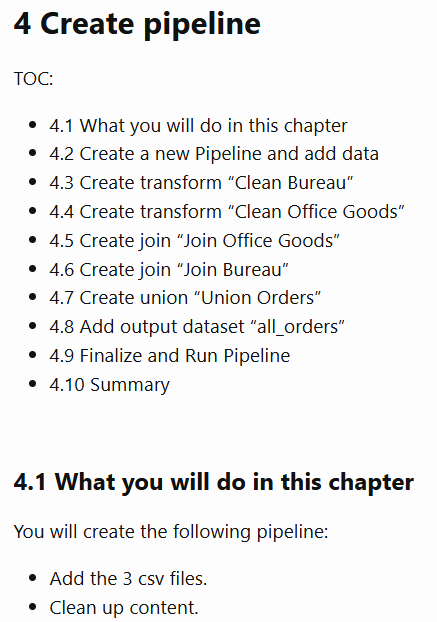
- C2 – ZAI demo D2 concepts. My own explanation of the modified workflow for the D2 demo (includes main workflow diagrams).
D2 config workflow (focus on AI)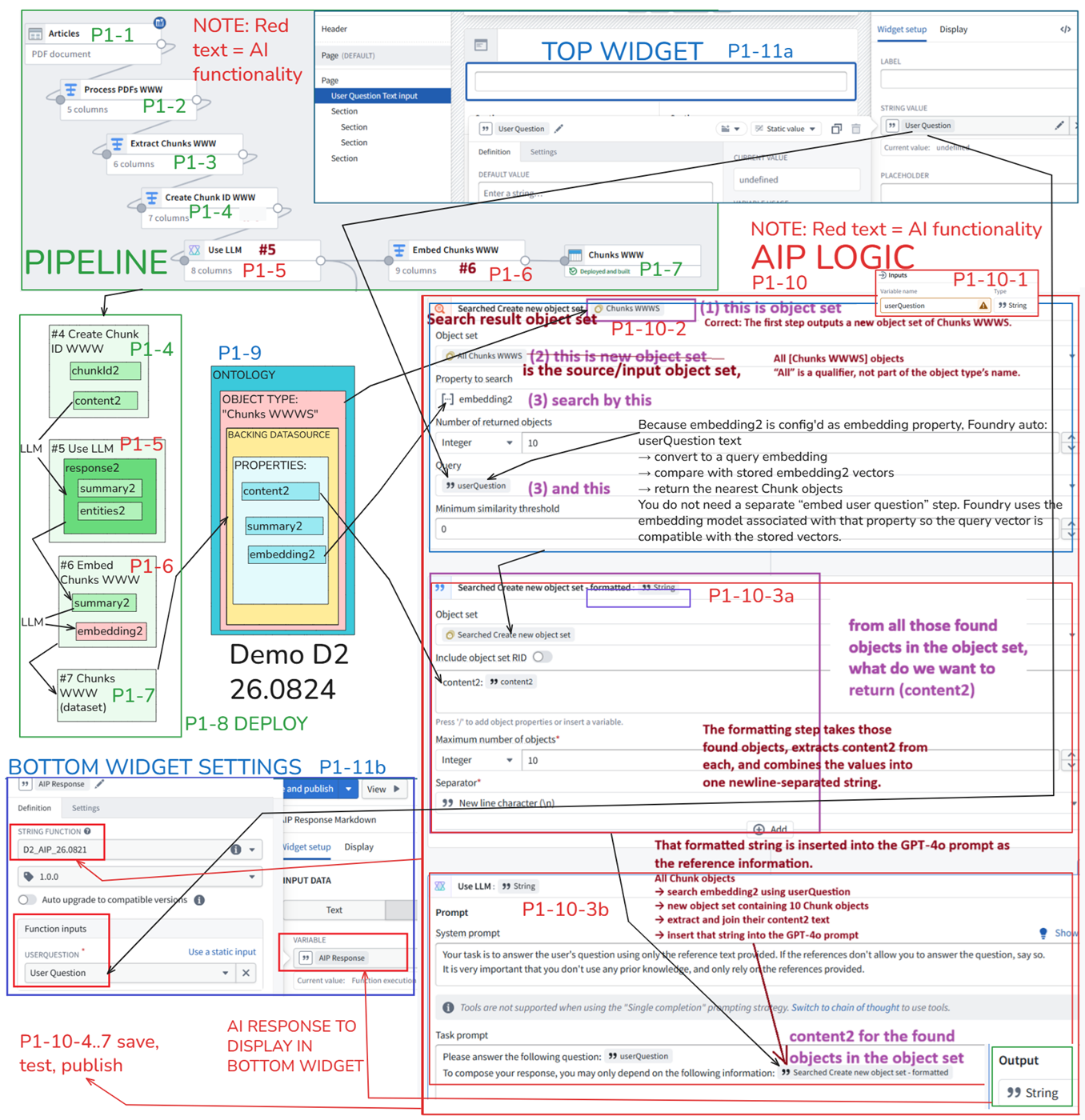
D2 config workflow (focus on UI; greyed out areas are unrelated to AI and can be skipped; this is only the second demo and should stick to the core concepts)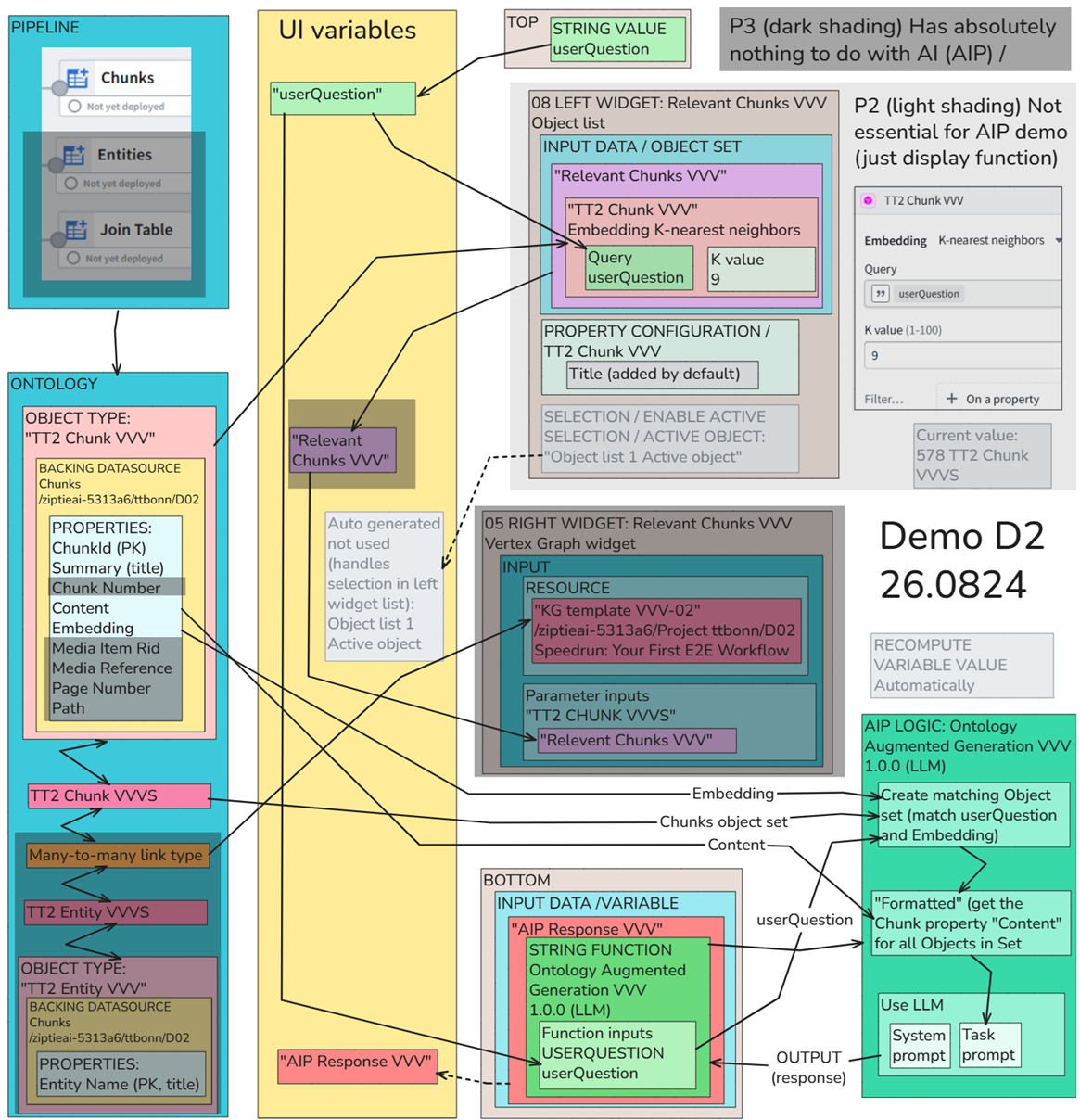
- C0 – Minimizing AI risks (in the enterprise). “AI sovereignty” has become a hot topic recently. But what exactly does this mean, and what are the options?
-
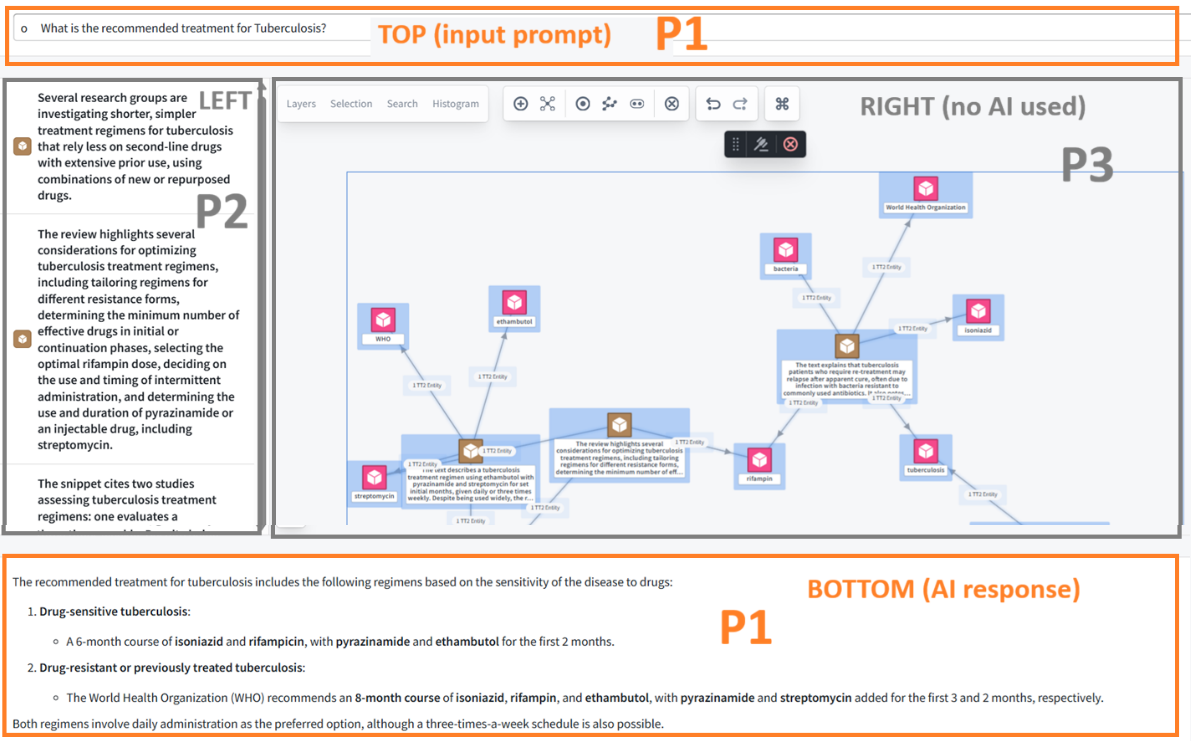
Step by step demo D2 workflows (ZAI version). These three parts show the main mechanics behind the demo: AI/RAG answer generation, embedding-based chunk retrieval, and the separate Vertex graph visualization.
-
P1 – AI (UI TOP/BOTTOM). The user enters a question in the TOP widget; the RAG workflow retrieves relevant chunk content, supplies it to GPT-4o as reference material, and displays the generated answer in the BOTTOM widget.
-
P2 – LEFT widget (embedding-matched chunk list). The user’s question is converted to an embedding and compared with the stored chunk embeddings. The closest matching Chunk objects are returned and displayed in the LEFT widget.
-
P3 – RIGHT widget (Vertex graph – no AI involved). This part creates a Vertex graph showing the relationships between chunks and extracted keywords. It does not participate in the AI/RAG workflow shown in P1 and P2, so I do not reproduce its lengthy setup here. See the DOCX for the complete step-by-step procedure.
-
26.0905 (0826, 0811, 0725, 26.0713) 3c.2.0 PAL D2 AIP notes (old)